Showing posts with label TI-95 Procalc. Show all posts

Saturday, April 11, 2026

TI-95 PROCALC Programs

TI-95 PROCALC Programs


Here’s to another year with blog! Thank you everyone for your support.


Volume and Surface Area of a Cylinder


volume = π * r^2 * h

surface area = 2 * π * r * (h + r)


Program name: CYL (064 bytes)

‘RADIUS?’ BRK STO R

x^2 * ‘HEIGHT?’ BRK STO H

* PI = STO V ‘VOL=’ COL 16 MRG V BRK

2 * PI * RCL R * (RCL R + RCL H ) = STO A

‘AREA=’ COL 16 MRG A HLT


Example:

Example 1: RADIUS = 18.88, HEIGHT = 19.09

Result: VOL= 21377.64107, AREA= 4504.249671


Example 2: RADIUS = 17, HEIGHT = 9

Result: VOL= 8171.282492, AREA= 2777.167906


Engine Displacement of a Single Cylinder (automobile engine)


displacement = π ÷ 4 * bore^2 * stroke


Program: DSP (32 bytes)

‘BORE?’ BRK x^2 *

‘STROKE?’ BRK * PI / 4 =

‘DISP=’ COL 16 MRG = HLT


Example:

Example 1: BORE = 3.5 in; STROKE = 1.9 in

Result: DISP = 18.28014225 in^3


Example 2: BORE = 3 in; STROKE = 2.4 in

Result: DISP = 16.96460033 in^3


Magnetic Force


F = I * B * L * sin(Θ)


I: current in amps

B: density in Telsa

L: length of the conductor in meters

Θ: angle of the field in degrees

F: magnetic force in Newtons


Program: MGF (32 bytes)

INV DRG ‘ANGLE?’ BRK SIN *

‘L?’ BRK * ‘B?’ BRK * ‘I?’ BRK =

‘F=’ COL 16 MRG = HLT


Examples:

Example 1: Θ: 30°, L: 1.2 m, B: 0.7 T, I: 4 A

Result: F: 1.68 N


Example 2: Θ: 24°, L: 1.8 m, B: 0.7 T, I: 4.4 A

Result: F: 2.254947949 N


Note: INV DRG sets Degree mode


Signal to Noise Ratio


This program calculates signal to noise ratio based on the units used:


Decibels: SNR = S – N

Watts: SNR = 20 * log(S ÷ N)

Voltage: SNR = 10 * log(S ÷ N)


Program: SNR (120 bytes)

‘SIGNAL-NOISE’ PAU CLR

‘S?’ BRK STO S

‘N?’ BRK STO N

‘UNITS?’

DFN F1:DB @ 01

DFN F2: W @ 02

DFN F3: V @ 03

HLT

LBL 01 RCL S – RCL N = GTL 00

LBL 02 ( RCL S / RCL N ) LOG * 20 = GTL 00

LBL 03 ( RCL S / RCL N ) LOG * 10 = GTL 00

LBL 00 ‘SNR=’ COL 16 MRG = DFN CLR HLT


Notes:

Function labels have three characters, add spaces when necessary.

The colon and at sign are added automatically.


Examples:

Example 1: S: -20 db, N: -70 db

Result: SNR = 50


Example 2: S: 128 W, N: 25 W

Result: SNR = 14.18539922


Example 3: S: 76 V, N: 3.5 V

Result: SNR = 13.36745548


Eddie


All original content copyright, © 2011-2026. Edward Shore. Unauthorized use and/or unauthorized distribution for commercial purposes without express and written permission from the author is strictly prohibited. This blog entry may be distributed for noncommercial purposes, provided that full credit is given to the author.


Saturday, August 28, 2021

TI-95 ProCalc: Industrial Calculations

 TI-95 ProCalc: Industrial Calculations


Flag Sequence for Degree Mode

RF 33 RF 34

A Sample of Utility Calculations

F1:  >DB:  Decibel Function, DB = 20 * log x
F2:  IDB:  Inverse Decibel Function, x = 10^(DB ÷ 20)
F3:  PAR:  Resistance of two parallel circuits.  R = 1 ÷ ( 1÷a + 1÷b)
F4:  ANG:  Convert from Frequency to Angular Velocity. ω = 2 * π * f
F5:  FRQ:  Convert from Angular Velocity to Frequency.  f = ω ÷ ( 2 * π )

The first two functions (F1 and F2) were inspired by a unique key on the 1977 Casio fx-110 scientific calculator.  

Source:
"Casio fx-110"  Voidware.  http://www.voidware.com/calcs/fx110.htm Accessed May 30, 2021


TI-95 ProCalc File UTL

CLR 'READY' 

DFN F1: >DB @ 01

DFN F2: IDB @ 02

DFN F3: PAR @ 03

DFN F4: ANG @ 04

DFN F5: FRQ @ 05

HLT 

LBL 01 CLR 'X?' BRK LOG * 20 = 'DB=' GTL 06

LBL 02 CLR ( 'DB?' BRK / 20 ) INV LOG = 'X=' GTL 06

LBL 03 CLR ( 'A?' BRK 1/x + 'B?' BRK 1/x ) 1/x  = 'Z=' GTL 06

LBL 04 CLR 'FRQ?' BRK * 2 * PI = 'ANG=' GTL 06

LBL 05 CLR 'ANG?' BRK / ( 2 * PI ) = 'FRQ='

LBL 06 COL 16 MRG = HLT

Stairs

Inputs:

RISE:  The floor-to-floor rise of the staircase. 

MAX RISER HGHT:  The maximum allowable rise height.

TREAD WIDTH:  The desired tread width of each stair.

Outputs:

N:  Number of Stairs

TRH:  True riser height of the stair

#TRD:  Number of treads

RUN:  Total theoretical run from the first stair to the top.

INC:  Incline of the stair in degrees

STR:  Length of the stringer

All amounts are assumed to be in inches and all amounts are precise (no rounding to the nearest 1/8th inch or 1/16 inch, etc).

Formulas Used:

N = int( rise ÷ DRH ) + 1

TRH = rise ÷ N

#TRD = N - 1

RUN = #TRD * TREADWIDTH

INC = atan( TRH ÷ TREADWIDTH)

STR = T * TREADWIDTH ÷ cos INC

TI-95 ProCalc File STR
Size:  184 bytes

RF 33 RF 34 CLR 'STAIRS' PAU

CLR 'RISE (IN)?' BRK STO R

CLR 'MAX RISER HGHT?' BRK STO H

CLR 'TREADWIDTH?' BRK STO W

( RCL R / RCL H ) INT + 1 = STO N 

CLR 'N=' COL 16 MRG N BRK

RCL R / RCL N = STO T 

CLR 'TRH=' COL 16 MRG T BRK

RCL N - 1 = STO E 

CLR '#TRD=' COL 16 MRG E BRK

RCL E * RCL W = STO U 

CLR 'RUN=' COL 16 MRG U BRK

( RCL T / RCL W ) INV TAN STO A 

CLR 'INC=' COL 15 MRG A CHR 223 BRK

RCL E * RCL W / RCL A COS = STO S 

CLR 'STR=' COL 16 MRG S HLT

Example

Input:  
RISE:  120 in
MAX RISER HGHT:  7.5 in
TREADWIDTH:  10 in

Results:
N = 17
TRH = 7.058823529 in
#TRD = 16
RUN = 160 in
INC = 35.21759297°
STR = 195.8461369 in

Travel and Run of a Rolling Pipe

Inputs:

A: Bend angle in degrees

Y: Roll distance 

Z:  Vertical Offset

Outputs:

L:  length of the pipe

R:  set back of the pipe 

All amounts are assumed to be in inches and all amounts are precise (no rounding to the nearest 1/8th inch or 1/16 inch, etc).

Formulas Used:

Let W = √( Y^2 + Z^2 )

Then:

L = W ÷ (90° - cos A)

R = √(L^2 - W^2)

Source:

Heckman, Kurt  "Rolling Offset (run)"  vCalc Last Modified March 10, 2021  https://www.vcalc.com/wiki/KurtHeckman/Rolling+Offsets+%28run%29  Accessed June 5, 2021


TI-94 ProCalc File PIP
Size:  120 bytes

RF 33 RF 34 

CLR 'PIPE ROLL OFFSET' PAU

CLR 'BEND ANGLE?' BRK STO A

CLR 'ROLL DIST?' BRK STO Y

CLR 'OFFSET?' BRK STO Z

( RCL Y x^2 + RCL Z x^2 ) SQR = STO W

/ ( 90 - RCL A ) COS = STO L

'LEN=' COL 16 MRG L BRK

( RCL L x^2 - RCL W x^2 ) SQR = STO X

'SET=' COL 16 MRG X HLT

Example:

Inputs:
Bend Angle: 40°
Roll Distance: 6"
Vertical Offset: 6"

Results:
Travel = 13.20075441"
Setback = 10.11236456"

Coming Up:   Let's get Sharp

Retro Month - Sharp EL-5500 III (also known as the PC-1403) Pocket Computer - every Saturday in September 2021 


Eddie

All original content copyright, © 2011-2021.  Edward Shore.   Unauthorized use and/or unauthorized distribution for commercial purposes without express and written permission from the author is strictly prohibited.  This blog entry may be distributed for noncommercial purposes, provided that full credit is given to the author. 

Saturday, August 21, 2021

TI-95 ProCalc: Approximate Derivative and Bisection Method

TI-95 ProCalc: Approximate Derivative and Bisection Method


Introduction:  The Label FX and Flags to set Radians Mode

The two programs presented today will use a subroutine with the label FX.  FX is going to be where you store your function.  I have designated the variables such that X can be used as storing and recall in the subroutine.   To edit FX:

In run mode (out of LEARN):  [ 2nd ] [ 2 ] (GTL) FX, [ LEARN ] [ F2 ] (PC)

The subroutine FX must end with = RTN.  

Radians mode can be set during programming with the following flag commands: RF 34 SF 33.

FYI, Degrees Mode:  RF 34 RF 33

And Gradians Mode:  RF 33 SF 34

Approximate Derivative

This program calculates f'(x), rounds, and displays the answer to five decimal places.  

f'(x) ≈ ( f(x + h) - f(x - h) ) / ( 2 * h ),  h is set to 10^-5

FIX 9 resets the TI-95 ProCalc to floating (all/standard) mode.

TI-95 ProCalc File DRV
Size:  varies

RF 34 SF 33 1 EE 5 +/- STO H

CLR 'X?' BRK STO A 

+ RCL H = SBL FX STO D

RCL A - RCL H = SBL FX ST- D

RCL D / ( 2 * RCL H ) = 

FIX 5 RND FIX 9 STO D HLT

LBL FX   [insert f(x) here, do not store values to A or H] = RTN

Examples

f(x) = x * sin x 
FX:  STO X * SIN = RTN
f'( π/5 ) returns 1.09611 
f'( 1.6*π ) returns 0.60223

f(x) = 3 * e^x
FX:  INV LN * 3 = RTN
f'( 1 ) returns 8.15485
f'( -1.215 ) returns 0.89013

Bisection Method

The bisection method finds a root for the equation f(x) = 0.  An advantage to the bisection method is that there is no requirement to calculate the derivative.  However, two initial guesses a and b are required such that f(a) * f(b) < 0, and the calculation process can be lengthy.

I set the tolerance to 10^-10.   

Note:  I will need a variable to store the 0 value.  IF tests on the TI-95 ProCalc can not compare to numeric values directly.   I use the variable Z to store 0.

TI-95 ProCalc File BIS
Size:  varies

'BISECTION F(X)=0' PAU

CLR 'A?' BRK STO A

CLR 'B?' BRK STO B

10 +/- INV LOG STO T

0 STO Z

LBL A0 ( RCL A + RCL B ) / 2 = STO C

SBL FX STO F ABS IF <T GTL BO

RCL B SBL FX * RCL F = IF >Z GTL A1

RCL C STO A GTL A0

LBL A1 RCL C STO B GTL A0

LBL B0 CLR 'SOL=' COL 16 MRG C HLT

LBL FX  [insert f(x) here, do not store values to A, B, C, T, or Z] = RTN

Examples

3*x - e^x = 0
FX:  STO X * 3 - RCL X INV LN = RTN
Interval:  [1, 2] (A = 1, B = 2)
Result: 1.512134552

x - 2^(-x) = 0
FX:  STO X - 2 y^x RCL X +/- = RTN
Interval:  [0, 1]  (A = 0, B = 1)
Result:  0.6411857446

Source:
Byju's Classes  "Bisection Method - Definition, Procedure, and Example"  https://byjus.com/maths/bisection-method/  Retrieved June 5, 2021

Commas added to the results for readability.  

Eddie

All original content copyright, © 2011-2021.  Edward Shore.   Unauthorized use and/or unauthorized distribution for commercial purposes without express and written permission from the author is strictly prohibited.  This blog entry may be distributed for noncommercial purposes, provided that full credit is given to the author. 

Saturday, August 14, 2021

TI-95 ProCalc: Solving Equations With 2 Known Values, Solve for the Third Variable


TI-95 ProCalc: Solving Equations With 2 Known Values, Solve for the Third Variable 


Introduction

The two programs presented on today's blog will show an approach to program a solver where:

*  Values for two variables are known
*  The third variable is solved for automatically

We will make use of TI-95 ProCalc's user flags 01, 02, and 03 to determine which variable has entries and which variable is to be solved for.   I stored 2 into a variable (in this case, C) to count down the number of values are entered.  These programs assume that the user will always enter values for two different variables without the need to review or edit values entered.

Keys:
F1:  first variable - controlled by user flag 01
F2:  second variable - controlled by user flag 02
F3:  third variable - controlled by user flag 03

TI-95 ProCalc's flag operations:
RF:  reset flag, clear flag
SF:  set flag
TF:  tests whether a flag is set
INV TF: tests whether a flag is reset

All the variables and their values, entered or solved for, are shown at the end.

Ohm's Law

R = V / I
R = resistance in Ohms (Ω)
V = voltage in Volts (V)
I = current in Amps (A)

The program reminds the user of what units are expected in the beginning.

CHAR 244 adds Ω to the alpha string.

The alpha string '   TO ENTER' has three spaces at the beginning of the string to allow room for C.   C is merged at space 2.  

Housekeeping Items: 

RF 01 RF 02 RF 03:  Resets the flags 01, 02, and 03 at the end of the program. 

DFN CLR:  Clears the defined keys F1 - F5. 

TI-95 ProCalc File OHM
Size:  224 bytes

0 STO I STO R STO V 2 STO C

RF 01 RF 02 RF 03 CLR

'OHM'S LAW' PAU CLR

'UNITS: ' CHR 244 ',A,V' PAU

LBL A0   

CLR '   TO ENTER'  COL 02 MRG C

DEF F1: R @A1  

DEF F2: I @A2

DEF F3: V @A3

HLT 

LBL A1 STO R SF 01 DSZ C GTL A0 GTL B0

LBL A2 STO I ST 02 DSZ C GTL A0 GTL B0

LBL A3 STO V SF 03 DSZ C GTL A0 GTL B0

LBL B0 

INV TF 01 SBL B1

INV TV 02 SBL B2

INV TF 03 SBL B3

CLR 'R=' COL 16 MRG R BRK

CLR 'I=' COL 16 MRG I BRK

CLR 'V=' COL 16 MRG V  RF 01 RF 02 RF 03 DFN CLR HLT

LBL B1 RCL V / RCL I = STO R RTN

LBL B2 RCL V / RCL R = STO I RTN

LBL B3 RCL I * RCL R = STO V RTN


Examples

I = 10 A, R = 1500 Ω;  Result:  V = 15,000 V

R = 200 Ω, V = 240 V; Result:  I = 1.2 A

I = 15 A, V = 110 V; Result: = 7.333333333 Ω


Right Triangle

This programs solves any of the following variables, from knowing the other two vales: 

X:  run
Y:  rise
R:  hypotenuse

In addition, the angle (Θ) is calculated where Y is considered the opposite side and X the adjacent side.

CHECK ANG MODE:  a prompt to check angle mode, just in case you are not in the desired angle mode.   The program runs in any angle mode.

CHR 242: adds Θ to the alpha string

TI-95 ProCalc File TRI
Size:  248 bytes

0 STO X STO Y STO R STO A 2 STO C

RF 01 RF 02 RF 03 CLR

'CHECK ANG MODE' BRK 

LBL A0   

CLR '   TO ENTER'  COL 02 MRG C

DEF F1:ADJ@A1  

DEF F2:ADJ@A2

DEF F3:HYP@A3

HLT 

LBL A1 STO X SF 01 DSZ C GTL A0 GTL B0

LBL A2 STO Y ST 02 DSZ C GTL A0 GTL B0

LBL A3 STO R SF 03 DSZ C GTL A0 GTL B0

LBL B0 

INV TF 01 SBL B1

INV TV 02 SBL B2

INV TF 03 SBL B3

( RCL Y / RCL X ) INV TAN = STO A

CLR 'X=' COL 16 MRG X BRK

CLR 'Y=' COL 16 MRG Y BRK

CLR 'R=' COL 16 MRG R BRK

CLR CHR 242 '=' COL 16 MRG 

A RF 01 RF 02 RF 03 DFN CLR HLT

LBL B1 ( RCL R x^2 - RCL Y x^2 ) SQR = STO X RTN

LBL B2 ( RCL R x^2 - RCL X x^2 ) SQR  = STO Y RTN

LBL B3 ( RCL X x^2 + RCL Y x^2 ) SQR = STO R RTN

Examples

All examples are in degrees mode.

X = 3, Y = 4
Results:  R = 5, Θ = 53.13010235°

X = 11.8, R = 19.9
Results:  Y = 16.02404443, Θ = 53.63231539°

Y = 27, R = 54.4
Results:  X = 47.22668737, Θ = 29.75706329°

Commas added to the results for readability.  

Eddie

All original content copyright, © 2011-2021.  Edward Shore.   Unauthorized use and/or unauthorized distribution for commercial purposes without express and written permission from the author is strictly prohibited.  This blog entry may be distributed for noncommercial purposes, provided that full credit is given to the author. 

Saturday, August 7, 2021

TI-95 ProCalc: Arithmetic and Geometric Series, Arithmetic-Geometric Mean

TI-95 ProCalc: Arithmetic and Geometric Series, Arithmetic-Geometric Mean


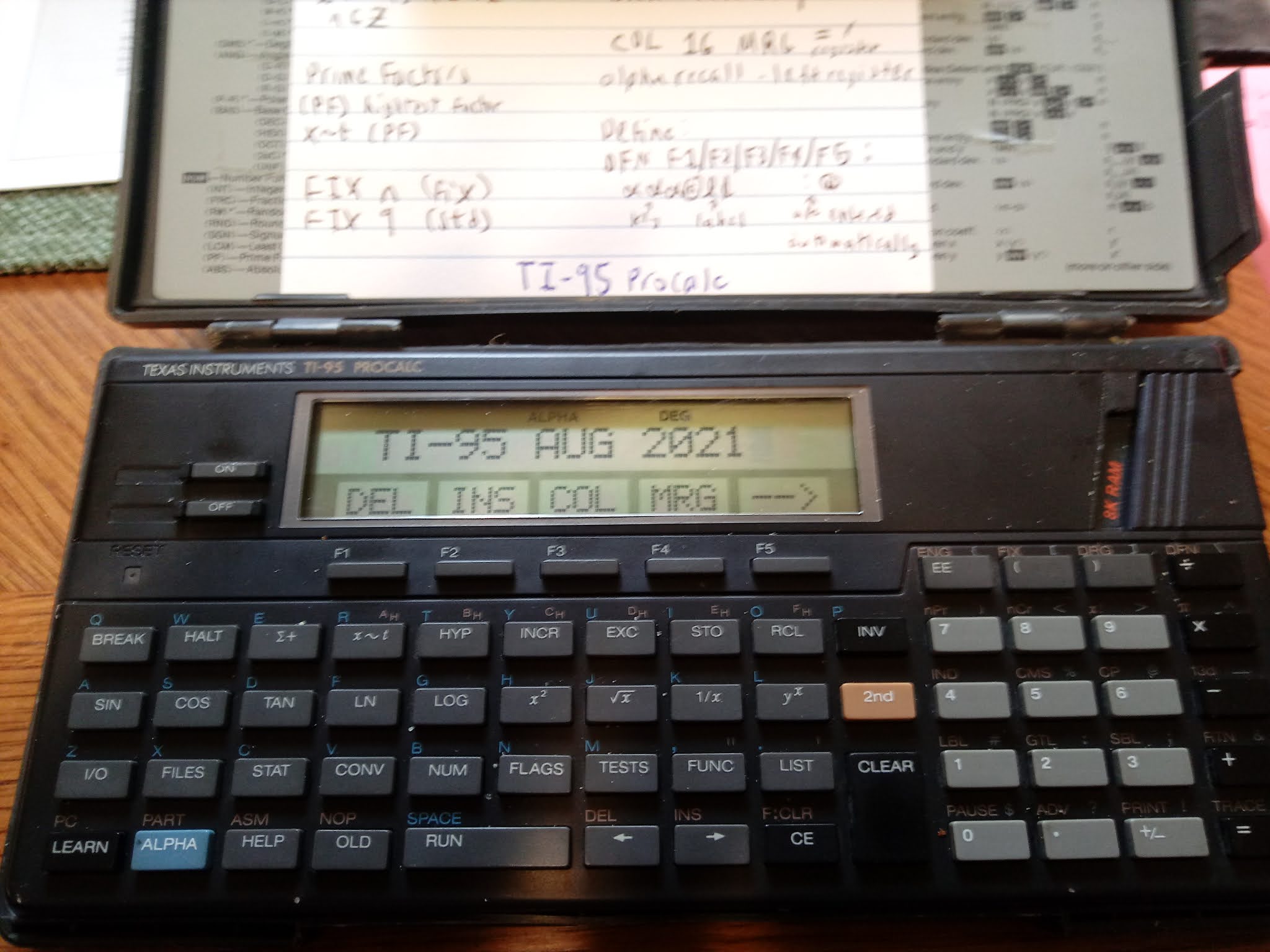
Welcome to TI-95 ProCalc month!  I think this is the first time I am going to post programs for this classic keystroke calculator.  


To see my review of the TI-95 ProCalc in 2020, click here:

http://edspi31415.blogspot.com/2020/07/retro-review-ti-95-procalc.html

Note, all programs on this series will use the one-letter variables A-Z, which can also be registers 000 - 025. 


Arithmetic Term and Sum


Arithmetic Series:

a + (a + d) + (a + 2d) + ...


Nth Term:

TERM = B = a + (n -1) * d


Sum of N Terms:

SUM = S = n / 2 * (2 * a + (n - 1) * d) = n / 2 * (a + TERM)


Alpha strings are enclosed in singular quotes (' ').


TI-95 ProCalc Program File ARI

Size: 72 bytes


'A+(A+D)+...'  BRK CLR


'A?' BRK STO A


+ ( 'N?' BRK STO N 


- 1 ) * 'D?' BRK = STO B


+ RCL A = * RCL N / 2 = STO S


'TERM=' COL 16 MRG B BRK 


CLR 'SUM=' COL 16 MRG S HLT


Examples


A = -1, D = 6, N = 20

Results:  TERM = 113, SUM = 1,120


A = 4.5, D = 1.8, N = 35

Results:  TERM = 65.7, SUM = 1,228.5


Geometric Series and Sum


Geometric Series:

a + a*r + a*r^2 + a*r^3 + ...


Nth Term:

TERM = B = a * r^(n-1)


Sum of N Terms:

SUM = S = (a * (1 - r^n)) / (1 - r) = ( -r * TERM + a ) / (1 - r )


TI-95 ProCalc Program File GMS

Size: 80 bytes


'A+A*R+A*R^2+...' BRK CLR


'A?' BRK STO A* 


'R?' BRK STO R y^x 


( 'N?' BRK - 1 ) = STO B


* RCL R +/- + RCL A = 


/ ( 1 - RCL R ) = STO S


'TERM=' COL 16 MRG B BRK


CLR 'SUM=' COL 16 MRG S HLT


Examples


A = 1,000, R = 1.36, N = 32

Results: TERM = 13,794,506.22, SUM = 52,109,801.29 


A = 1,000, R = 0.95, N = 26

Results: TERM = 277.3895731, SUM = 14,729.59811


Arithmetic-Geometric Mean


Given positive real numbers A and G, the follow algorithm repeats until A and G converge:


A_n+1 = (A_n + G_n) / 2

G_n+1 = √(A_n * G_n)


When convergence is satisfied to a set of decimal places, both A_final and G_final are calculated for comparison purposes.


TI-95 ProCalc Program File AGM

Size: 104 bytes


CLR 'ARITH/GEOM MEAN' PAU


CLR 'A?' BRK STO A


CLR 'G?' BRK STO G


CLR '# PLACES?' BRK +/- INV LOG STO T 


LBL 01 RCL A STO B RCL G STO H


( RCL B + RCL H ) / 2 = STO A


( RCL B * RCL H ) SQR = STO G


( RCL A - RCL G ) ABS = IF> T GTL 01 


RCL G x~t RCL A HLT


Examples


A = 2.4, G = 3.6, # PLACES = 6 (6 places)

Results:  2.969616524, 2.969616523


A = 105, G = 207, # PLACES = 6 (6 places)

Results:  151.6836959, 151.6836959


Source for Arithmetic and Geometric Term and Sum:


Lindeburg, Michael R. P.E.  Engineering Fundamentals: Quick Reference Cards Third Edition  Professional Publications, Inc.  Belmont, CA 1988 ISBN 0-932276-88-1


Commas added to the results for readability.  


Eddie


All original content copyright, © 2011-2021.  Edward Shore.   Unauthorized use and/or unauthorized distribution for commercial purposes without express and written permission from the author is strictly prohibited.  This blog entry may be distributed for noncommercial purposes, provided that full credit is given to the author. 


Sunday, July 25, 2021

Casio fx-5800P and TI-84 Plus CE: Simplify Radicals and August TI-95 ProCalc Month

Casio fx-5800P and TI-84 Plus CE: Simplify Radicals and August TI-95 ProCalc Month


Introduction

The program SIMPRAD simplifies radicals of any positive integer and power.

Casio fx-5800P Program: SIMPRAD

"2021-05-16 EWS"
"x(N)->A x(B)"
"INTEGERS"
"X"?->X
"N"?->N
Xx(N)->R
If Frac(R)=0
Then R
Stop
IfEnd
Int(R)->Q
N->B
1->A
While Q1
B÷(Q^(X))->S
If Frac(S)=0
Then Q×A->A
S->B
IfEnd
Q-1->Q
WhileEnd
"A x(B):"
A
B

TI-84 Plus CE Program:  SIMPRAD


Or type: 

"2021-05-16 EWS"
ClrHome
Disp "√(N)->A*x√(B)","ENTER INTEGERS"
Input "X? ",X
Input "N? ",N
Xx√N→R
If fPart(R)=0
Then
Disp R
Stop
End
iPart(R)→Q
N→B
1→A
While Q≠1
B/(Q^X)→S
If fPart(S)=0
Then
Q*A→A
S→B
End
Q-1→Q
End
Disp toString(X)+"x√("+toString(N)+")="
Disp toString(A)+"*"+toString(X)+"x√("+toString(B)+")"

Examples 


TI-95 ProCalc Month:  August 2021


Every Saturday in August 2021 (8/7/21, 8/14/21, 8/21/21, 8/28/21) will feature the Texas Instruments TI-95 ProCalc from the late 1980s.   


Eddie

All original content copyright, © 2011-2021.  Edward Shore.   Unauthorized use and/or unauthorized distribution for commercial purposes without express and written permission from the author is strictly prohibited.  This blog entry may be distributed for noncommercial purposes, provided that full credit is given to the author. 


Friday, July 10, 2020

Retro Review: TI-95 Procalc

Retro Review:  TI-95 Procalc 


This review covers the calculator itself, not any of the optional accessories which includes a thermal printer and cassette interface. 


Quick Facts:

Model:  TI-95 Procalc
Company:  Texas Instruments
Type:  Scientific, Keystroke Programmable
Years:  1985-1987
Display:  10 digits for numerical answers, 16 alpha-numeric display
Batteries:  4 AAAs
Logic:  Algebraic (AOS)
Original Price:  $200.00.  I paid $60 I bought it on eBay.

Memory:
Registers:  26 alpha registers, up to 900 numeric registers (three digit registers)
Programming Steps: up to 7,200 steps, default set at 1,000 steps.
Storage Memory:  up to 8,000 bytes, set to 5,200 bytes by default.

A separate 8K RAM can be added for an additional 8,000 bytes of memory.

The QWERTY Keyboard and Other Unique Features

One look at the keyboard and one may mistake the TI-95 Procalc as a BASIC Programming calculator.  However, the TI-95 Procalc is a keystroke programmable calculator.   We'll talk about the programming later.

The TI-95 Procalc is one of the first calculators to contain function keys, F1 through F5.

In addition to the standard functions including trigonometry, logarithms, roots, powers, factorials, hyperbolic functions, and statistics including linear regression:

The number menu [ NUM ] has functions including integer part (INT), fractional part (FRC), random numbers between 0 and 1 (R#), round the number displayed to fix number settings (RND), sign function (SGN), lowest common multiple (LCM), prime factors (PF), and absolute value (ABS).

The LCM soft key has two functions:

(LCM) :   lowest common multiple. 
 Example:  4 [ x~t ] 6 (LCM) returns LCM = 12.

(LCM) [ x~t ]: greatest common divisor.
Example:  25 [ x~t ] 40 (LCM) [ x~t ] returns 5   (GCD(25, 40) = 5)

(PF) returns the biggest prime factor of an integer.  To get additional prime factors, repeat the keystrokes [ x~t ] (PF).

Example:  28
28 [ NUM ] [ --> ] ( PF ) returns  f = 2
[ x~t ] ( PF ) returns f = 2
[ x~t ] ( PF ) returns f = 1  (When you reach f = 1, press [ x~t ] to get the last prime factor, 7)
28 = 2 * 2 * 7 = 2^2 * 7

The conversions menu [CONV] contain several types of conversions:

MET (Metric):
(F - C)  °F -> °C  (left to right),  [INV] (F - C) does °C -> °F  (right to left)
All of the conversions follow this pattern.
(G - L)  gallon and litre
(# - K)  pounds (#) and kilograms (kg)
(i - m)  inches (i) and millimetres (m)
(f - M)  feet and meters

DMS:  convert to D.MMSSS from degrees
INV DMS:  convert degrees to D.MMSSSS

ANG:  convert between Degrees (D), Radians (R), and Grads (G)

P-R:
r [ x~t ] θ [ P-R ] results:  y [ x~t ] x  (polar to rectangular)
x [ x~t ] y [ INV ] [P-R] results: θ [ x~t ] r   (rectangular to polar)

BAS:  (Bases)
DEC: convert to base 10 and set the TI-95 Procalc to Decimal Mode
HEX:  convert to base 16 and set the TI-95 Procalc to Hexadecimal Mode
OCT:  convert to base 8 and set the TI-95 Procalc to Octal Mode
2sC:  convert to 2's complement format
UNF:  convert to un-formatted display mode

Two things to note:
1.  Hexadecimal numbers A-F are accessed with the [ 2nd ] key.
2.  There are no conversions to binary integers

The FUNC key has three operations:

QAD:  Find the roots, real or complex, of the quadratic equation a*x^2 + b*x + c = 0

CUB:  Find the roots of the cubic equation a*x^3 + b*x^2 + c*x + d = 0

SYS:  This is not a solver for system of equations.  Instead, it allows the user to turn system protection on or off.  With system protection off, the user can edit specific bytes of memory.  The aim for unprotected system memory mode is to assist the user in assembly programming.

Fun Fact:  FIX 9 sets the TI-95 Procalc to floating mode.

One more fun fact:  The factorial functions accepts arguments of both integers and integers in the form of n + 1/2.   The latter can include negative numbers.  You will not see this in any other standard scientific calculator (outside the CAS-enabled factorials).

Help: But Not What You Expect

The HELP key does not give help on the specific functions.   Instead, the HELP key asks the user "SET NORMAL MODE?".  Yes resets the TI-95 to decimal mode, floating standard mode (removes Fix settings), degree mode, and sets memory partition to default (1000 program steps, 125 numeric registers, and 5200 bytes for files).  A No asks the user whether to reset any specific mode that is set to default.

Files, Files, and More Files

The FILES key is where you would store, load, and delete program and data files.  Files have three characters (fixed so the file "A   " has A followed by two spaces).  FILES is also where you access the 8K RAM or additional RAM cartridges.   It's pretty neat how the FILES system works once it is learned.

The ALPHA Register

Similar to the HP 41C and HP 42S, the TI-95 Procalc has a 16 character ALPHA register.  The ALPHA register is used to display results and prompt messages.  Numeric registers call be recalled into the ALPHA register.

Example:  11 is stored in register A.  ANSWER = is in the ALPHA register.  Pressing (COL) 16, moves the cursor to column 16.   (MRG) A places 11 at the 16th space justified right.

ALPHA register:   ANSWER =     11.

MRG = recalls the number from the display/last answer.

The ALPHA register can contain lower case letters and ASCII characters simular to the TI-58/59 family.

Keystroke Programming

The TI-95 Procalc has algebraic keystroke programming with labels, tests against numeric registers, increase and decrease by 1 (INCR and INV INCR, respectively) functions, define menus (DEF), the use of ALPHA register.

Unique is the YES/NO function.  Y/N creates a two function menu (F1: YES, F2: NO) and works like the rest of the test commands.

Y/N
(do if YES is pressed)
(skip to here if NO is pressed)

Labels are two characters which can contain both numbers and letters.  Go to and subroutines to labels are use the commands GTL and SBL.

The halt command, HLT, stops program execution.  While the break command, BRK temporarily stops the program execution to display the current result and sets F1 to GO.

Storage arithmetic is permitted.

Example program:  PRF which automates the prime factors of an integer.

TI-95 Procalc Program: Prime Factors


STO A
'NUMBER?' 
BRK
LBL 00
PF 
'FACTOR = '
COL 16 
MRG =
BRK
IF= A
GTL 01
x~t
GTL 00
LBL 01
x~t
'FINAL = '
COL 16
MRG =
HLT  

(50 steps)

Example: 158
'NUMBER?' 158 (GO)
'FACTOR=        2.'  (GO)
'FACTOR=        1.'  (GO)
'FINAL=        79.'

158 = 2 * 79

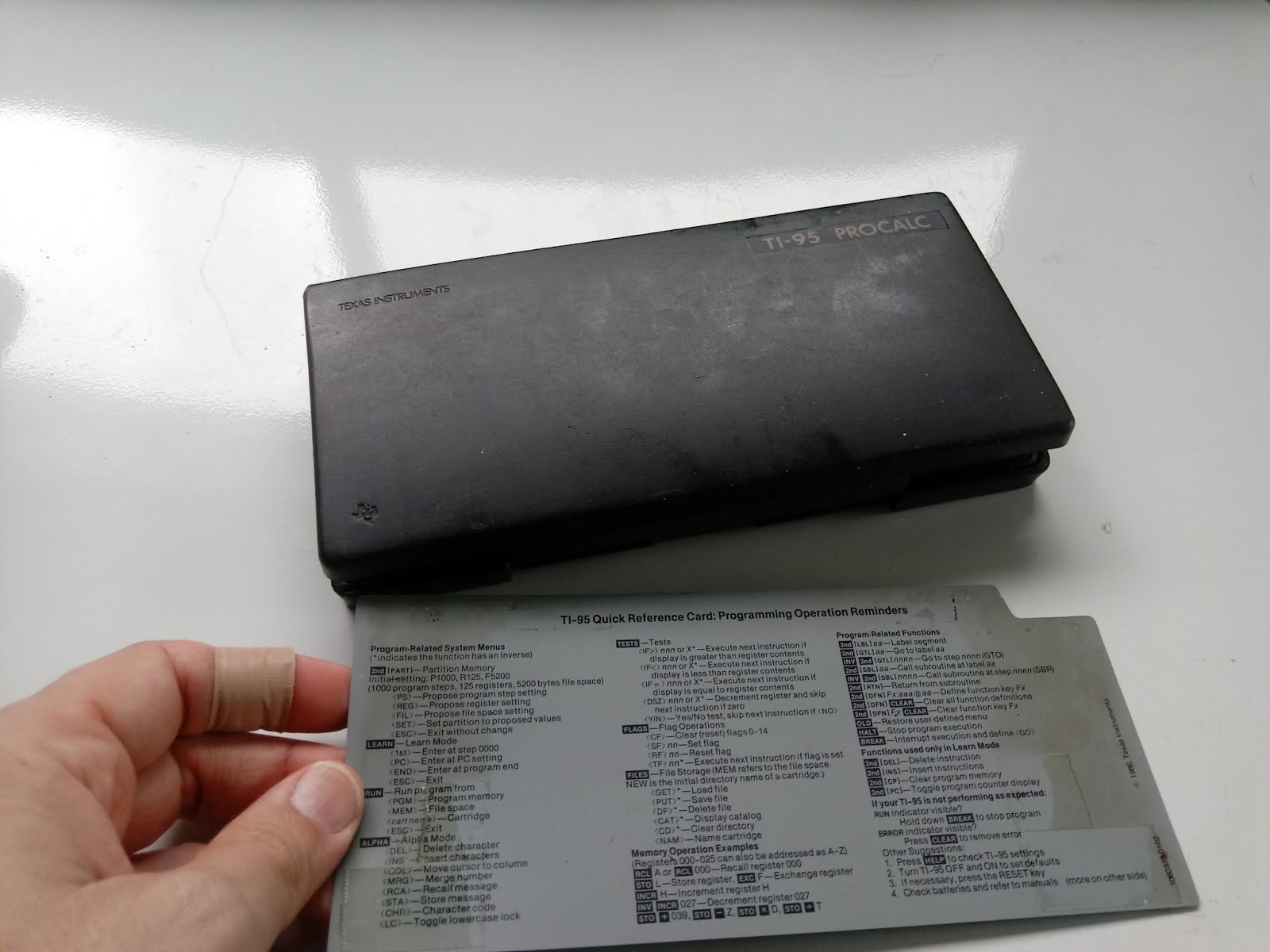
The TI-95 Procalc comes with a har dcase and a gray help card.

Verdict

I like this calculator, having a solid set of functions with adjustable programming space.   Having the 8K RAM card, which came with the calculator when I bought it, allows me store programs on the card without having to worry about storage space as much.

There are several things I have to get used to: the program steps scroll horizontally instead of vertically, and both the break (BRK) and halt (HLT) operate differently from the modern definition.  Thankfully both the operating and programming manuals are still available online through the Datamath website.

The price point is pretty high at $200.00, as the TI-95 Procalc was set as Texas Instruments' high end programmable keystroke programmable.

The Datamath page has an emulator:  http://www.datamath.org/Graphing/TI-95.htm

Eddie

Source:

Woerner, Joerg.  "Texas Instruments TI-95 PROCALC"  Datamath  http://www.datamath.org/Graphing/TI-95.htm  Last Edited December 5, 2001.  Accessed June 22, 2020.

All original content copyright, © 2011-2020.  Edward Shore.   Unauthorized use and/or unauthorized distribution for commercial purposes without express and written permission from the author is strictly prohibited.  This blog entry may be distributed for noncommercial purposes, provided that full credit is given to the author.

Earth's Radius by Latitude

Earth's Radius by Latitude Introduction: Calculating the Earth’s Radius In quick, general calculations, we assume that the...