Review: "Little Professor" Solar
If you were a kid during the 1970s and 1980s, like I was, or a parent during that time, the calculator that I am about to review may bring back memories.
Quick Facts
Model: "Little Professor" Solar (yes, the name is quoted on the calculator)
Company: Texas Instruments
Years: 2011 - current
Type: Education
Solar Powered
Cost: $ 17.50 US (Texas Instruments Educational Technology Store - 8/21/2022)


Working Our Arithmetic Muscles
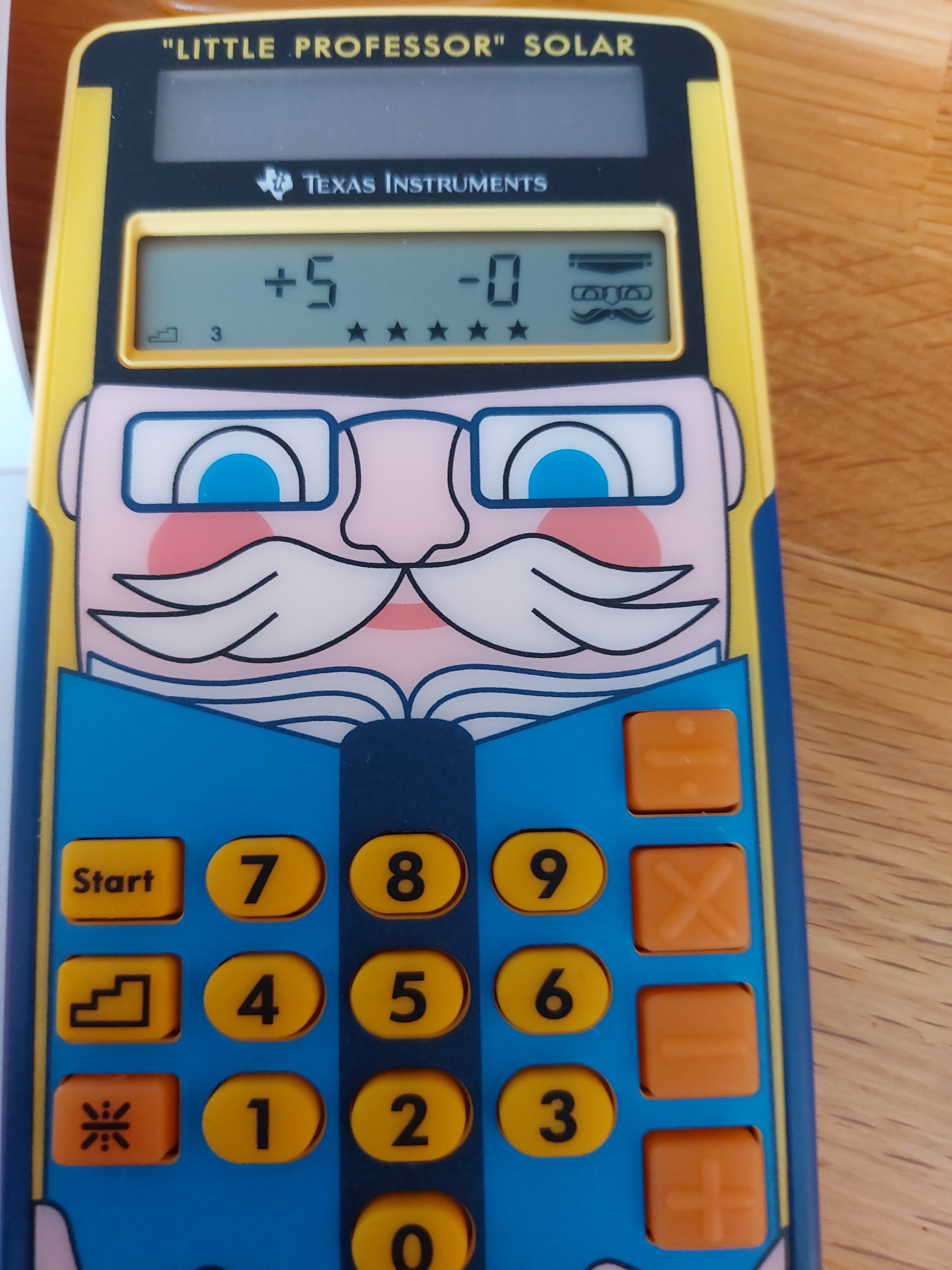
The Little Professor Solar is an upgrade of the popular classic Little Professor from 1976. Unlike the original, the solar version is 100% solar powered without a need for batteries.
There are two modes:
* Quiz
* Arithmetic Tables
Quiz Mode
The Quiz Mode, activated by the [ Start ] key, selects an arithmetic problem to calculate based from one of five levels. Level 5 is the most difficult, involving mostly two and three digit numbers.
All the numbers are positive integers. There is no decimal point, no negative numbers, no fractions. All division problems divide equally without remainders.
Set the operator by pressing [ + ], [ - ], [ × ], or [ ÷ ]. The stairs button is selects the level, with the mode defaulting to level 1, which is for elementary students. Levels 2 and higher are great for older students, those who are reviewing arithmetic, and those who want to practice their mental mathematic skills. Change the level by pressing the key that has a stairs graphic on it (one the left side).
On minor knock is that there is no contract between font and key on the arithmetic keys, which are bright orange. I wish these keys would have contrast. Thankfully, the arithmetic operators are raised so they can be felt.
You will have two chances to solve the problem. It is not timed, so take the time necessary. After two incorrect answers, the Little Professor shows the correct answer. After five problems, your score is shown. The set is on five problems permanently.
The Quiz mode was present on the original Little Professor, but had 10 problems before displaying a score.
Arithmetic Tables
The second mode is arithmetic drill table, which is activated by pressing the asterisk key [ * ].
Again, select an operator and then quickly enter a base within five seconds. For example, if you want to practice numbers multiplied by 15, enter [ × ] 15.
Five problems are given.
I don't believe the Arithmetic Tables mode is available on the original Little Professor.
Final Thoughts
I think the Little Professor can be a compliment to arithmetic flash cards, possibly replace them if you don't want paper goods. And one thing to remember is that the Little Professor Solar is not just for elementary school students, but can be used for anyone working on their arithmetic skills. Worth a look and a buy.
There is also an app for the classic (not current) by grebulon for Android:
https://play.google.com/store/apps/details?id=com.grebulon.littleprofessor
Texas Instruments Online Store (United States, Canada, Europe): https://epsstore.ti.com/OA_HTML/TIibeCCtdMinisites.jsp?ref_url=https%3a%2f%2feducation.ti.com%2fen%2fpurchase%2fpurchase
"Little Professor" Wikipedia. Last Edited on July 7, 2022 and accessed on August 21, 2022. https://en.wikipedia.org/wiki/Little_Professor
Happy calculating,
Eddie
All original content copyright, © 2011-2022. Edward Shore. Unauthorized use and/or unauthorized distribution for commercial purposes without express and written permission from the author is strictly prohibited. This blog entry may be distributed for noncommercial purposes, provided that full credit is given to the author.


