Showing posts with label flags. Show all posts

Sunday, April 26, 2026

Retro Review: HP 65

Retro Review: HP 65


Quick Facts


Company: Hewlett Packard

Years: 1974 - 1977

Type: Scientific, RPN (Reverse Polish Notation)

Memory: 9 memory registers, 100 steps


Batteries: originally Ni-Cad, there are battery packs that can use AAA batteries (Ebay seller: waterhosko, https://www.ebay.com/usr/waterhosko)


DISCLAIMER:  I am not page for referring the website on eBay, nor I do not guarantee that inventory is available.


The HP 65 is first programmable calculator. I recently purchased a HP 65 from Persnickity Antiquity in Pomona, California. I saw that HP 65 a year earlier. What got me to purchase was it was for two reasons, (1) I have a HP 67 and fell in love with the classical HP calculators and (2), it had the AAA battery pack (see waterhosko above).Originally the HP 65 is ran with rechargeable Ni-Cad batteries.


Format Settings


The HP 65 has two format settings:


Scientific Format: [ DSP ] # (0-9)

Fixed Format: [ DSP ] [ . ] # (0 – 9)


Modifier Keys


There are three modifier keys: two orange shifts [ f ] and [ f^-1 ] and one blue shift [ g ]. The label for the orange shift is above the key and the label for the blue shift is below the key.


Inverse Key Table

[ f ]

[ f^-1 ]

LN

e^x

LOG

10^x

√x

x²

SIN

SIN^-1

COS

COS^-1

TAN

TAN^-1

R→P (to polar)

P→R (to rectangular)

D.MS+

D.MS-

→D.MS (decimal, minute, seconds)

D.MS→ (decimal)

→OCT (to octal base)

→DEC (to decimal base)

INT (integer part)

FRAC (fractional part)

SF 1/SF 2 (set flag 1 or 2)

CF 1/CF 2 (clear flag 1 or 2)

TF 1/TF 2 (is flag 1 or 2 set?)

TF^-1 1/TF^-1 2 (is flag 1 or 2 clear?)


Programming


Program Steps


In program mode, the HP 65 displays only the key code. The key code is usually two digits, the first is the row (top-down), second is column (left-right). The exception is the digit keys where they would be labeled in the format 0#.


Editing is limited to SST (single step forward) and delete key ([ g ] [ Clx ] (DEL)).


Partially Merged Steps


The first programmable calculator holds up to 100 steps. Steps are partially merged. The program commands that are merged are:

STO # (1 – 8)

* does not include storage arithmetic

Swap X and Y: x<>y

Comparisons: x≠y, x=y, x≤y, x>y

RCL # (1 - 8)

Roll Down: R↓

All but STO/RCL are followed by the [ g ] shift key.

NOP (No operation)

Roll Up: R↑


Memory Registers


The HP 65 has nine memory registers R1 through R9. There is no R0 (register zero), which would be added in later calculators.


Two registers are used for specific purposes:

R8: Register 8 is used the counter in the DSZ command (Decrement and Skip if Zero command).

R9: Register 9 is used as a temporary register from trigonometric function calculations, rectangular/polar conversions, and for comparison tests, R9 is used as a Last X register.


R8 and R9 can be used for general use, but would be subject to change.


Comparisons and Labels


The HP 65 has four comparisons (x = y, x ≠ y, x ≤ y, x > y) and the DSZ command operate somewhat like most RPN calculators: if the test is true, the next step is executed. However, if the result is false, the next two steps are skipped. That’s right, the next two steps.


Example:

x > y

[ if true, x > y, execute this step; if false, x ≤ y, skip this step ]

[ also skip this step if x ≤ y ]

[ third step ]


Why two steps? The goto (GTO) command takes two steps on the HP 65. The HP 65 has 15 labels, 0 – 9 and A – E. If both steps are not needed, one can be filled by the NOP (No Op (Operation)) command.


Subroutines and Instant Labels


The labels A through E (A, B, C, D, E) are user programs that can be accessed by keys. They are the only labels act as subroutines. There is no XEQ/GSB command, subroutines are automatically called by pressing the corresponding key. Only one subroutine can be called at a time.


One quirk for the HP 65, if there is a program without a label A, then pressing [ A ] in run mode, execution starts from the first step.


The HP 65 loads five short default programs every time the calculator is turned on, which function is printed above the key in white:

[ A ] 1/x

[ B ] √x

[ C ] y^x

[ D ] R↓

[ E ] x<>y


Non-Continuous Memory


The memory on the HP 65 is not continuous. When the calculator is turned off, all memory is lost. The only way to save the memory registers and the steps require the use of thin memory cards and the built-in card reader. Each card can hold 100 steps.


I love the classic RPN HP calculators from the early 1970s. I have three of them now, the HP 45 (1973), HP 65 (1974), and HP 67 (1976).


Sources


“HP 65” The Museum of HP Calculators (MoHPC). https://www.hpmuseum.org/hp65.htm Retrieved April 1, 2026.


“HP-65 Programming” The Museum of HP Calculators (MoHPC). https://www.hpmuseum.org/prog/hp65prog.htm Retrieved April 1, 2026.


Hewlett-Packard. HP-65 Owner’s Handbook. Cupertino, CA. July 1974.


Eddie


All original content copyright, © 2011-2026. Edward Shore. Unauthorized use and/or unauthorized distribution for commercial purposes without express and written permission from the author is strictly prohibited. This blog entry may be distributed for noncommercial purposes, provided that full credit is given to the author.


Friday, October 10, 2025

Retro Review: HP 67

Retro Review: HP 67


I won a HP 67 from the HHC 2025 Conference in Orlando, Florida last September. Be on the lookout for a list of videos by the hpcalc.org's YouTube page soon. It's always a good time.


Bruce Gordon donated the HP 67 to the conference and I'm grateful and appreciative. I love the box, the calculator, the leather cover, and the manuals.


Quick Facts


Company: Hewlett Packard

Years: 1976 - 1984

Type: Scientific, RPN (Reverse Polish Notation)

Memory: 20 memory registers, 224 steps


Batteries: originally Ni-Cad, there are battery packs that can use AAA batteries (Ebay seller: waterhosko, https://www.ebay.com/usr/waterhosko)


DISCLAIMER:  I am not page for referring the website on eBay, nor I do not guarantee that inventory is available.  


Features:


* Trigonometric, logarithmic, exponential functions

* Probability: n! (the factorial function only accepts positive integers)

* Integer part, fractional part, absolute value, round to fix settings

* Polar/Rectangular, Degree/Radian, Hours/Hours-Minutes-Seconds (HMS) conversions

* Percent and percent change


Non-Continuous Memory


The memory on the HP 67 is not continuous. When the calculator is turned off, all memory is lost. The only way to save the memory registers and the steps require the use of thin memory cards and the built-in card reader. Each card has two sides, which can hold 112 steps per side. With decades-old calculators like the HP 67, the card reader has stopped working. It can be repaired and when I get the chance, I will leave it to the repair experts.


Memory Registers


There are 20 memory registers but they are split up: 10 primary registers and 10 secondary registers. The set of registers can be switch by pressing [ f ] (P<>S). This really comes into play when working with statistical data (see next section).


Statistics


The HP 67 has the standard statistics functions including sums, means, and standard deviations. When calculating statistics, the following stored on the secondary registers:


RS9 (19): n

RS8 (18): Σxy

RS7 (17): Σy^2

RS6 (16): Σy

RS5 (15): Σx^2

RS4 (14): Σx


Clearing these registers require this key sequence: [ f ] (CL REG) [ f ] (P<>S). To access the statistics registers after entering the data, start by pressing [ f ] (P<>S).


The mean function, [ f ] (x-bar):

Y: average of y-values

X: average of x-values


The standard sample deviation, [ g ] (s):

Y: sample deviation of y-values

X: sample deviation of x-values


Programming


As mentioned before, the HP 67 can hold programs up to 224 program steps. Steps involving shift keys [ f ], [ g ], and [ h ], along with [ GTO ] and [ LBL ], are merged with the next key press to help save space. However, each press of the digit keys and the decimal point take one step each. For instance, 475.2 takes five steps ([ 4 ], [ 7 ], [ 5 ], [ . ], [ 2 ]) while sequences such as [ GTO ] [ 1 ] and [ f ] (√x) take one step each.


Always available are five user keys that double as ten lettered labels: A, B, C, D, E, a, b, c, d, and e. The lower case labels are shifted of their capital letter counter parts. There are also ten numerical labels, 0-9, available for use.


There are eight comparison tests:


Gold tests (use the [ f ] shift): x=0, x≠0, x<0, x>0

Blue tests (use the [ g ] shift): x=y, x≠0, x≤y, x>y


The registers I and (i) are used for indirect addressing. We have special functions to store to Register I, the ST I and RC I functions. The DSZ and ISZ only work on register 1.


DSZ: Decrease register I by 1 and skip the next instruction if the result is I=0.

ISZ: Increase register I by 1 and skip the next instruction if the result is I=0.


There are four flags. Flags 0, 1, and 2 are user flags. Flag 2 gets cleared automatically when tested. Flag 3 is the entry flag, which is set automatically when a number is entered or a data card is read. Like Flag 2, Flag 3 is cleared automatically when tested.


For more details, here is an excellent article on HP-67 (and the similar HP-97) programming by the MoHPC (Museum of HP Calculators) web page: https://www.hpmuseum.org/prog/hp67prog.htm


As mentioned before, when the calculator is turned off, all memory is reset. When available, save your programs to a data card first.


Program Collection


Download here:

https://drive.google.com/file/d/114H4D0hcOjxDj_MHQNvwDBUJV3chlpdC/view?usp=sharing


List of Programs (all programs on the file are relatively short, less than 35 steps):


Countdown of HP 67 "seconds"

Random Numbers

Snell's Law

Circle: Area and Circumference

Sphere: Surface Area and Volume

Angle Between 2 Lines with Slopes x and y

Sum of Powers

Adding Complex Numbers

Multiplying Complex Numbers

Complex Number to a Real Power

Permutation

Combination (with duplicating X and Y stack values)

Speed of Sound Approximation (in meters per second)

Finance: Present Value Annuity Factor (including setting N and I% with monthly payments)

Distance Between Two Points (x,y) and (z,t)

Horizontal Curve


When the HP 67 is Turned Off


* All memory is cleared

* The display setting is reset to FIX, DSP 2 (display 2 digits)

* The angle setting is reset to Degrees


Notes


* The number format and the number of decimal points displayed are set separately. For format, the HP 67 offers fixed (FIX), scientific notation (SCI), and engineering format (ENG). For this calculator, do not enter a number after FIX, SCI, or ENG. Setting the number of digits require the use of the display (DSP) key. For instance, if I want to set the HP 67 to fixed setting with 4 decimal places, the keystroke sequence required would be [ f ] (FIX) [DSP] [ 4 ].


* It takes getting used to use a shift key [ h ] before swap (x<>y) and roll down (R↓). Usually they are primary key functions.


* The card reader did not operate, but for machines that are now 50 years old, it's understandable because they do break down. If I get it repaired, I'm leaving it to the professionals.


* There are no internal guard digits. The HP 67, as it seems to be the case for the entire Classic series and possibly later series such as the Voyagers, carries out calculations to fit the 10 digit screen and that's it.


Example:


Set FIX, DSP 9.


2 √ 1.41 - 100 ×


Result:

HP 67 (DSP 9): 0.421356200

HP 45 (FIX 9): 0.421356200

HP 15C CE (FIX 9): 0.421356200

HP 42S, original (ALL): 0.421356237


* This is the only calculator I know that stores the six statistical sum results in secondary registers. I'll have to remember to do the P<>S command first. In later models the registers are not split in this fashion, and that I am grateful for.


* The display is nice, clean, and I do get a small thrill from working with red LED displays.


* There is also a learning curve when all of the shifted functions are listed BELOW the primary keys:

[ primary function ]

        h (black)

g (gold) b (blue)


It's a classic for a reason and I love it. The keyboard is clean and the keys are responsive.


Eddie


All original content copyright, © 2011-2025. Edward Shore. Unauthorized use and/or unauthorized distribution for commercial purposes without express and written permission from the author is strictly prohibited. This blog entry may be distributed for noncommercial purposes, provided that full credit is given to the author.

Saturday, September 23, 2023

HP 15C: Quadratic Solver Using Solve and Flags

HP 15C:  Quadratic Solver Using Solve and Flags


Introduction


This program solves the quadratic equation for real roots:


a x^2 + b x + c = 0


Instructions:


1.  Key:  a [ENTER], b [ENTER], c [ f ] [ A ]   (enter coefficients into label A)

2.  The first root is displayed. 

3.  Press [ R/S ] for the second root.


Registers Used:


R1 = a

R2 = b

R3 = c

R4 = root 1

R5 = root 2

R6 = abs((R1 + R2 + R3) ÷ 3),  I use [-R6, R6] as my initial guesses.


Flag 0: used to adjust the equation to be solved

Equation 1:  finding the first root:   (a x^2 + b x + c)  (flag 0 is set)

Equation 2:  finding the first root:   (a x^2 + b x + c) ÷ (x - root)  (flag 0 is clear, this is a depressed equation)


When a function with multiple roots is present, we can take out roots already found by dividing f(x) by (x - root).  


HP 15C Program:  Quadratic Solver

Steps:  47, Bytes:  57


Code:


Step : Key Code : Key


001 : 42,21,11 : LBL A

002 : 44, 3 : STO 3

003 : 44, 6 : STO 6

004 : 33 : R↓

005 : 44, 2 : STO 2

006 : 44,40, 6 : STO+ 6

007 : 33 : R↓

008 : 44, 1 : STO 1

009 : 44,40, 6 : STO+ 6

010 : 45, 6 : RCL 6

011 : 3 : 3

012 : 10 : ÷

013 : 43,16 : ABS

014 : 44, 6 : STO 6

015 : 43, 4, 0 : SF 0

016 : 42,21, 0 : LBL 0

017 : 45, 6 : RCL 6

018 : 16 : CHS

019 : 45, 6 : RCL 6

020 : 42,10, 1 : SOLVE 1

021 : 43, 6, 0 : F? 0

022 : 22, 2 : GTO 2

023 : 22, 3 : GTO 3

024 : 42,21, 2 : LBL 2

025 : 44, 4 : STO 4

026 : 43, 5, 0 : CF 0

027 : 22, 0 : GTO 0

028 : 42,21, 1 : LBL 1

029 : 36 : ENTER

030 : 36 : ENTER

031 : 45,20, 1 : RCL× 1

032 : 45,40, 2 : RCL+ 2

033 : 20 : ×

034 : 45,40, 3 : RCL+ 3

035 : 43, 6, 0 : F? 0

036 : 43, 32 : RTN

037 : 34 : x<>y

038 : 45, 4 : RCL 4

039 : 30 : -

040 : 10 : ÷

041 : 43,32 : RTN

042 : 42,21, 3 : LBL 3

043 : 44, 5 : STO 5

044 : 45, 4 : RCL 4

045 : 31 : R/S

046 : 34 : x<>y

047 : 43, 32 : RTN


Examples


x^2 - 5 x - 24 = 0

a = 1

b = -5

c = -24


1 [ ENTER ] 5 [CHS] [ ENTER ] 24 [ CHS ] [ f ] [ A ]

Roots:  8 [ R/S ] -3   (x = 8, x= -3)


2 x^2 + 8 x - 2 = 0

a = 2

b = 8

c = -2


2 [ ENTER ] 8 [ ENTER ] 2 [ CHS ] [ f ] [ A ]

Roots:  0.2361 [ R/S ] -4.2361  (x ≈ 0.2361, x ≈ -4.2361)


Eddie


All original content copyright, © 2011-2023.  Edward Shore.   Unauthorized use and/or unauthorized distribution for commercial purposes without express and written permission from the author is strictly prohibited.  This blog entry may be distributed for noncommercial purposes, provided that full credit is given to the author. 


Saturday, August 14, 2021

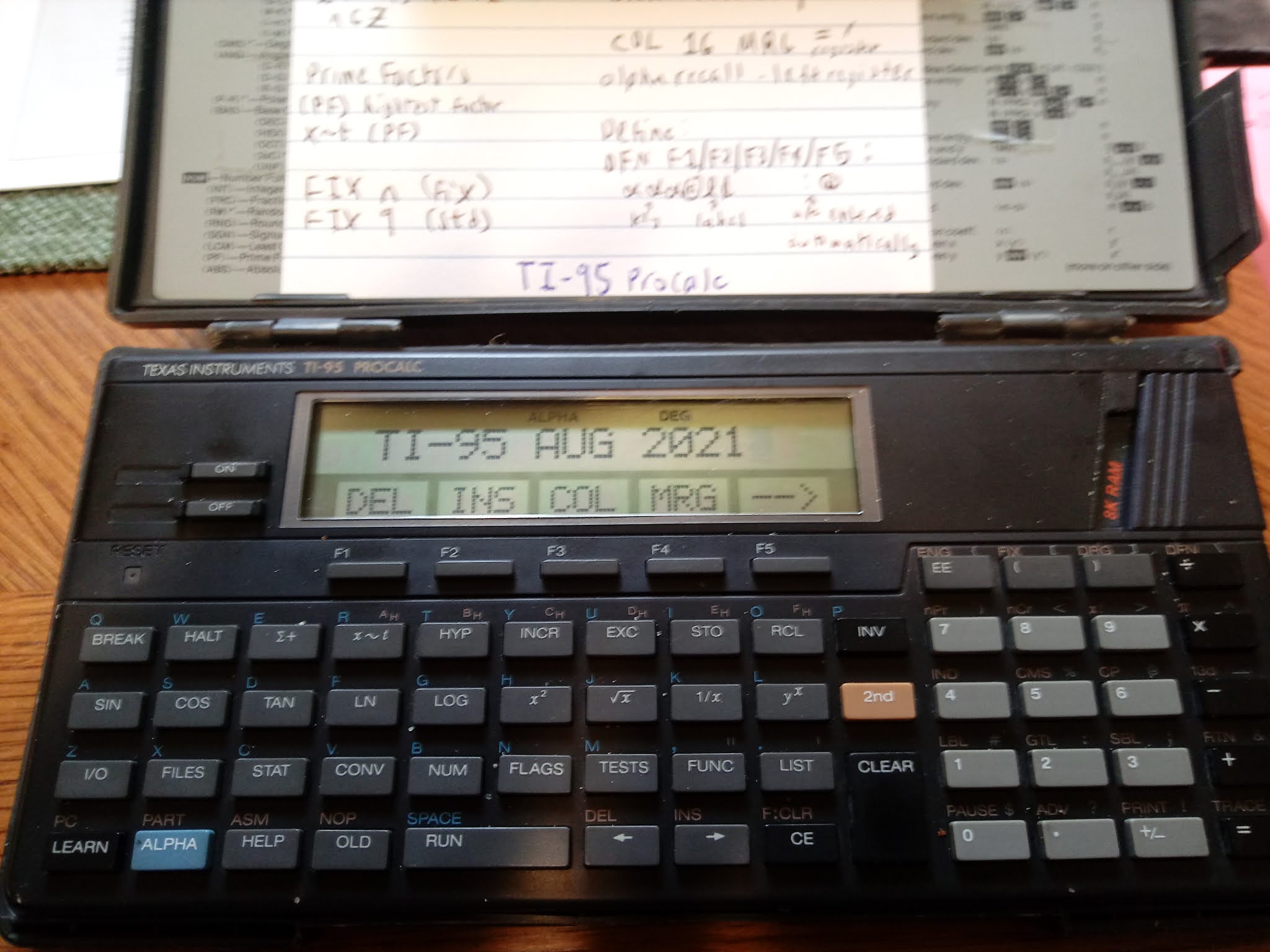
TI-95 ProCalc: Solving Equations With 2 Known Values, Solve for the Third Variable


TI-95 ProCalc: Solving Equations With 2 Known Values, Solve for the Third Variable 


Introduction

The two programs presented on today's blog will show an approach to program a solver where:

*  Values for two variables are known
*  The third variable is solved for automatically

We will make use of TI-95 ProCalc's user flags 01, 02, and 03 to determine which variable has entries and which variable is to be solved for.   I stored 2 into a variable (in this case, C) to count down the number of values are entered.  These programs assume that the user will always enter values for two different variables without the need to review or edit values entered.

Keys:
F1:  first variable - controlled by user flag 01
F2:  second variable - controlled by user flag 02
F3:  third variable - controlled by user flag 03

TI-95 ProCalc's flag operations:
RF:  reset flag, clear flag
SF:  set flag
TF:  tests whether a flag is set
INV TF: tests whether a flag is reset

All the variables and their values, entered or solved for, are shown at the end.

Ohm's Law

R = V / I
R = resistance in Ohms (Ω)
V = voltage in Volts (V)
I = current in Amps (A)

The program reminds the user of what units are expected in the beginning.

CHAR 244 adds Ω to the alpha string.

The alpha string '   TO ENTER' has three spaces at the beginning of the string to allow room for C.   C is merged at space 2.  

Housekeeping Items: 

RF 01 RF 02 RF 03:  Resets the flags 01, 02, and 03 at the end of the program. 

DFN CLR:  Clears the defined keys F1 - F5. 

TI-95 ProCalc File OHM
Size:  224 bytes

0 STO I STO R STO V 2 STO C

RF 01 RF 02 RF 03 CLR

'OHM'S LAW' PAU CLR

'UNITS: ' CHR 244 ',A,V' PAU

LBL A0   

CLR '   TO ENTER'  COL 02 MRG C

DEF F1: R @A1  

DEF F2: I @A2

DEF F3: V @A3

HLT 

LBL A1 STO R SF 01 DSZ C GTL A0 GTL B0

LBL A2 STO I ST 02 DSZ C GTL A0 GTL B0

LBL A3 STO V SF 03 DSZ C GTL A0 GTL B0

LBL B0 

INV TF 01 SBL B1

INV TV 02 SBL B2

INV TF 03 SBL B3

CLR 'R=' COL 16 MRG R BRK

CLR 'I=' COL 16 MRG I BRK

CLR 'V=' COL 16 MRG V  RF 01 RF 02 RF 03 DFN CLR HLT

LBL B1 RCL V / RCL I = STO R RTN

LBL B2 RCL V / RCL R = STO I RTN

LBL B3 RCL I * RCL R = STO V RTN


Examples

I = 10 A, R = 1500 Ω;  Result:  V = 15,000 V

R = 200 Ω, V = 240 V; Result:  I = 1.2 A

I = 15 A, V = 110 V; Result: = 7.333333333 Ω


Right Triangle

This programs solves any of the following variables, from knowing the other two vales: 

X:  run
Y:  rise
R:  hypotenuse

In addition, the angle (Θ) is calculated where Y is considered the opposite side and X the adjacent side.

CHECK ANG MODE:  a prompt to check angle mode, just in case you are not in the desired angle mode.   The program runs in any angle mode.

CHR 242: adds Θ to the alpha string

TI-95 ProCalc File TRI
Size:  248 bytes

0 STO X STO Y STO R STO A 2 STO C

RF 01 RF 02 RF 03 CLR

'CHECK ANG MODE' BRK 

LBL A0   

CLR '   TO ENTER'  COL 02 MRG C

DEF F1:ADJ@A1  

DEF F2:ADJ@A2

DEF F3:HYP@A3

HLT 

LBL A1 STO X SF 01 DSZ C GTL A0 GTL B0

LBL A2 STO Y ST 02 DSZ C GTL A0 GTL B0

LBL A3 STO R SF 03 DSZ C GTL A0 GTL B0

LBL B0 

INV TF 01 SBL B1

INV TV 02 SBL B2

INV TF 03 SBL B3

( RCL Y / RCL X ) INV TAN = STO A

CLR 'X=' COL 16 MRG X BRK

CLR 'Y=' COL 16 MRG Y BRK

CLR 'R=' COL 16 MRG R BRK

CLR CHR 242 '=' COL 16 MRG 

A RF 01 RF 02 RF 03 DFN CLR HLT

LBL B1 ( RCL R x^2 - RCL Y x^2 ) SQR = STO X RTN

LBL B2 ( RCL R x^2 - RCL X x^2 ) SQR  = STO Y RTN

LBL B3 ( RCL X x^2 + RCL Y x^2 ) SQR = STO R RTN

Examples

All examples are in degrees mode.

X = 3, Y = 4
Results:  R = 5, Θ = 53.13010235°

X = 11.8, R = 19.9
Results:  Y = 16.02404443, Θ = 53.63231539°

Y = 27, R = 54.4
Results:  X = 47.22668737, Θ = 29.75706329°

Commas added to the results for readability.  

Eddie

All original content copyright, © 2011-2021.  Edward Shore.   Unauthorized use and/or unauthorized distribution for commercial purposes without express and written permission from the author is strictly prohibited.  This blog entry may be distributed for noncommercial purposes, provided that full credit is given to the author. 


Symmetric Quartic Equation - Python

Symmetric Quartic Equation - Python Note: The code is programmed with a TI-84 Evo. No modules are used, so the scripts should be adopt...