Showing posts with label fx-6300G. Show all posts

Thursday, March 14, 2024

Spotlight: Casio fx-6500G


Spotlight: Casio fx-6500G


For my birthday, I present a review of the Casio fx-6500G.


Quick Facts


Model: fx-6500G

Company: Casio

Timeline: 1986 – 1988

Type: Graphing Scientific Calculators

Power: 3 x CR2032

Programming Memory: 486 steps at default

Number of Memory Registers: 26 at default

Screen Size: 96 x 32 pixels

Graph Types: Function, Scatter plot, Histogram, Linear Regression Plot, Point Plot

Linear Regression

Base Operations and Logic Functions

Hyperbolic Functions


Screen Sizes and Memory of Casio’s Early Calculators


fx-7000G (1985)

422 bytes, up to 78 registers

96 x 64 pixels

fx-6500G (1986)

486 bytes, up to 86 registers

96 x 32 pixels

fx-7500G (1988)

4006 bytes, up to 526 registers

96 x 64 pixels

fx-6300G (1991)

400 bytes, up to 76 registers

40 x 23 pixels


(measures from rskey.org, Casio fx-6300G manual, Casio fx-7500G manual)


Other Features


Like the other early Casio graphing calculators, including the fx-7000G, fx-7500G, and later the fx-6300G, the fx-6500G has the a similar structure.


The screen of the fx-6500G is just as wide of the screens of the fx-7000G and fx-7500G, but half of the height. The screen of the fx-6500G is still bigger than the fx-6300G and graphs take the entire screen, which I appreciate.


There are four statistical modes:


SD1: single-variable statistics analysis mode

SD2: single-variable statistics graphics mode for Histograms, data lines, and normal curves

LR1: linear regression analysis mode, with the regression equation y = A + Bx

LR2: linear regression graphics mode for scatter plots and linear regression trend lines


The defragment mode ( [ MODE ] [ . ] {Defm}) can allow an additional 60 registers at the expense of programming steps. Each new register costs 8 programming steps. Array registers are accessed in the format A[#], where A is the letter of memory and # is the number of registers away from the variable.


For example:

A[0] accesses A

A[1] accessed B

A[2] accesses C

A[25] accesses Z

A[26] accessed the first expanded memory, the same as Z[1]


# can be a negative integer. Array-type memories allow for indirect registers.


The programming command set is relatively simple, and most of it has remained throughout the entire Casio graphing and programming calculator set:

There are 10 program slots: P0 through P9.


: separates program lines from each other. The carriage return by pressing [ EXE ] also terminates the line.


◢ is the run/stop symbol. Any quoted text or numeric value is shown as the calculator stops. Press [ EXE ] to continue.


⇒ is the jump command and is used for quick If-Then-Else structures. The syntax is:

condition ⇒ do if the condition is true : (or ◢) jump to here if the condition is false.


Goto and Lbl: goto and label. There are ten labels available in each for each program: Lbl 0 through Lbl 9.


Prog: Prog executes another program as a subroutine. An implied “return” is automatically executed at the end of program.


Isz: Increment and skip. Adds 1 to a variable and skips the next command if the new value is 0.

Isz variable : do if var=var+1≠0 is true : (or ◢) skip to here if the var=var+1=0


Dsz: Decrement and skip. Subtracts 1 from a variable’s value and skips the next command if the new value is 0. If find Dsz particularly useful in simple For-Next loops.

Dsz variable : do if var=var-1≠0 is true : (or ◢) skip to here if the var=var-1=0


Final Thoughts


The calculator looks nice and clean. The fx-6500G offers all of the features of the fx-7000G and fx-7500G (and fx-6300G less the fractions) in a scientific calculator size. I like the fact the graphs do fill the entire screen. Programs and calculation modes have up to four lines. The fx-6500G is the way to handle a smaller-sized graphing calculator, which makes it a very sought, harder to find, calculator.


Eddie


All original content copyright, © 2011-2024. Edward Shore. Unauthorized use and/or unauthorized distribution for commercial purposes without express and written permission from the author is strictly prohibited. This blog entry may be distributed for noncommercial purposes, provided that full credit is given to the author.

Saturday, June 26, 2021

7000G Retro Month - June 26 Edition

7000G Retro Month - June 26 Edition


Introduction


Welcome to the 7000G Retro Month, which features programming for the classic Casio calculators from the mid/late 1980s:  primarily fx-7000G and fx-7500G.  Since the programming language stays similar throughout the years, programs can be translated to the fx-6300G and later graphing calculators with little to no adjustments.  Non graphic programs should be ported to the fx-4000P, fx-4500P (A), fx-3650p (II), fx-50F Plus (II), and fx-5800P with little to no adjustments.  


7000G Retro Month takes place every Saturday during June 2021.


To make text easier to type, I can going to use the following text friendly symbols for the following:


->  for →


/I for ⊿


=> for ⇒


What do you think?   Unicode or simple text equivalents?  


- - - - - - -- - -- - -


Today's subject revolves around Calculus.  Enjoy!


- - - -- - - -- - -- -- -


The three programs listed here call another program as a subroutine.  I use Prog 0 as a subroutine.  


Prog 0 


[insert f(x) here]


Example:  Prog 0 contains X^2+4.   The results gets stored in in Ans.  


Sum


S = ∑( f(x), X = A to B)


"A"? -> A

"B"? -> B

A -> X

0 -> S

Lbl 1

Prog 0

Ans + S -> S

X + 1 -> X

X≤B => Goto 1

S


Numeric Derivative - Simple Approximation


f'(x) ≈ (f(x+h) - f(x-h))/(2h),  h = tolerance (default to 10^-5)


The derivative is stored in the variable D. 


"X0"? -> Z

Z+10^-5 -> X : Prog 0 : Ans -> A

Z-10^-5 -> X : Prog 0 : Ans -> B

(A-B)÷(2 10^-5) -> D


Definite Integral - Simpson's Rule


∫ f(x) dx ≈ h/3 * (y_a + ∑(4*y_odd + 2*y_even) + y_b)

where h=(b-a)/n   (n is even)


The integral is stored in the variable I.


"A"? -> A 

"B"? -> B

"N"? -> N

A -> X

Prog 0

Ans -> I

(B-A)÷N -> D

N÷2 -> K

Lbl 2

X+D -> X : Prog 0 : I + 4 Ans -> I

X+D -> X : Prog 0 : I + 2 Ans -> I

K - 1-> K

K≠0 => Goto 2

B -> X : Prog 0 : (I - Ans)D÷3 -> I


Eddie


All original content copyright, © 2011-2021.  Edward Shore.   Unauthorized use and/or unauthorized distribution for commercial purposes without express and written permission from the author is strictly prohibited.  This blog entry may be distributed for noncommercial purposes, provided that full credit is given to the author. 


Saturday, June 19, 2021

7000G Retro Month - June 19 Edition

7000G Retro Month - June 19 Edition


Introduction


Welcome to the 7000G Retro Month, which features programming for the classic Casio calculators from the mid/late 1980s:  primarily fx-7000G and fx-7500G.  Since the programming language stays similar throughout the years, programs can be translated to the fx-6300G and later graphing calculators with little to no adjustments.  Non graphic programs should be ported to the fx-4000P, fx-4500P (A), fx-3650p (II), fx-50F Plus (II), and fx-5800P with little to no adjustments.  


7000G Retro Month takes place every Saturday during June 2021.


To make text easier to type, I can going to use the following text friendly symbols for the following:


->  for →


/I for ⊿


=> for ⇒


What do you think?   Unicode or simple text equivalents?  


- - - - - - -- - -- - -


Today's subject revolves around Probability and Random Numbers.  Enjoy!


- - - -- - - -- - -- -- -


Random Integers: Repeats Allowed 


This program allows the user to generate a number of integers between A and B, repeats are allowed.   Each integer is displayed one at a time.


"A"? -> A

"B"? -> B

"N"? -> N

Lbl 1

Int ((B-A+1) Rnd#) /I

Dsz N

Goto 1


Combinatorics


The program allows the user to choose between three options:


1.  PERM:  permutation:  nPr

2.  COMB:  combination:  nCr

3.  COMB REPLACE:  combination with replacements allowed (n+r-1)Cr


"N"? -> N

"R"? -> R

"1. PERM"

"2. COMB"

"3. COMB REPLACE"

? -> K

K=1 => N!÷(N-R)! -> X

K=2 => N!÷(R!(N-R)!) -> X

K=3 => (N+R-1)!÷(R!(N-1)!) -> X

X


Binomial Distribution


This program calculates the sum of probabilities for a binomial distribution:


total probability = ∑( nCr(N,K) p^K (1-p)^(N-K), K=A to B)


Probability:  0 < p < 1


"A"? -> A : "B"? -> B

"N"? -> N : "P"? -> P

0 -> M : Lbl 1

M+(N!×P^A×(1-P)^(N-A))÷(A!(N-A)!) -> M

A+1 -> A

A>B => Goto 2

Goto 1

Lbl 2

M


Confidence Interval


This program generates a confidence interval using one of four probabilities are assigned to the following variables:


F: 99%  (z* ≈ 2.576)

G: 98% (z* ≈ 2.326)

H: 95% (z* ≈ 1.96)

I: 90% (z* ≈ 1.645)


interval = mean ± z* × variance / √n


"CONF INTERVAL"

2.576 -> F

2.326 -> G

1.96 -> H

1.645 -> I

"MEAN"? -> A

"VAR"? -> B

"N"? -> N

"F=.99, G=.98"

"H=.95, I=.90"

? -> J

A-JB÷√N -> E /I

A+JB÷√N -> F


E:  low, F: high


Eddie


All original content copyright, © 2011-2021.  Edward Shore.   Unauthorized use and/or unauthorized distribution for commercial purposes without express and written permission from the author is strictly prohibited.  This blog entry may be distributed for noncommercial purposes, provided that full credit is given to the author. 


Saturday, June 12, 2021

7000G Retro Month - June 12 Edition

7000G Retro Month - June 12 Edition


Introduction


Welcome to the 7000G Retro Month, which features programming for the classic Casio calculators from the mid/late 1980s:  primarily fx-7000G and fx-7500G.  Since the programming language stays similar throughout the years, programs can be translated to the fx-6300G and later graphing calculators with little to no adjustments.  Non graphic programs should be ported to the fx-4000P, fx-4500P (A), fx-3650p (II), fx-50F Plus (II), and fx-5800P with little to no adjustments.  


7000G Retro Month takes place every Saturday during June 2021.


To make text easier to type, I can going to use the following text friendly symbols for the following:


->  for →


/I for ⊿


=> for ⇒


What do you think?   Unicode or simple text equivalents?  


- - - - - - -- - -- - -


Today's subject revolves around Graphics.  Enjoy!


- - - -- - - -- - -- -- -


Get a emulator or graphing calculator to see the results.


Quadratic Fit by Two Roots


Given two roots A and B, the program generates a quadratic equation and it's graph.   The program assumes that the vertex is a minimum.


Y = (X - A) (X - B)


"ROOT1" -> A

"ROOT2" -> B

"Y = X^2 - " /I

A+B /I

"X + " /I

AB /I

Cls

Graph Y=(X-A)(X-B)


Polar Plotting (Self Contained)


I usually use Radians (Mode 5 for fx-7000G, fx-7500G, fx-6300G) angle mode when it comes to graphics and calculus.  To set/change each equation, you will need to edit the program here.  I state the equation to be in the form r(T) where T = θ.  


On the Rec command, x is stored to I and y is stored to J.  (specific to fx-7000G, fx-7500G, fx-6300G)


"POLAR R(T)"

Rad

"RMIN"? -> A

"RMAX"? -> B

"N"? -> N

(B-A)÷N -> H

A-H -> T

Cls

Lbl 1

T+H -> T

[insert r(T) here]

Rec(Ans, T)

Plot I,J

T<B => Goto 1


Cubic Bezier Curve


This program plots a cubic Bezier curve with the following variables:


(x0, y0):  A = A[0], B = A[1]  (exact fit)

(x1, y1):  C = A[2], D = A[3]

(x2, y2):  E = A[4], F = A[5]

(x3, y3):  G = A[6], H = A[7]   (exact fit)


Cls

0 -> I

"CUBIC BEZIER"

Lbl 1

"X"? -> A[ I ]

Isz I

"Y"? -> A[ I ]

Isz I

I < 8 => Goto 1

0 -> T

Lbl 2

A(1-T)^3 + 3C(1-T)^2 T + 3E(1-T) T^2 + GT^3 -> X

B(1-T)^3 + 3D(1-T)^2 T + 3F(1-T) T^2 + HT^3 -> Y

Plot X,Y

T+.02 -> T

T<1 => Goto 2


Press [ G<>T ] to see the graph.  


Polygon Drawing


The programs allow the user to draw many lines in a row by connecting points.   The original point are stored in variables E and F.   To complete the polygon, use (E, F) as the final point.  


The prompt MORE:  enter 0 to stop, anything else to continue connecting points


Cls

"X0"? -> A : A -> E

"Y0"? -> B : B -> F

Plot A,B

Lbl 1

"ORIG (E,F)"

"NEXT X"? -> C

"NEXT Y"? -> D

0 -> T

Lbl 2

(1-T)A+CT -> X

(1-T)B+DT -> Y

Plot X,Y

T+.02->T

T<1 => Goto 2

C -> A : D -> B

"MORE"? -> M

M≠0 => Goto 1


Drawing an Ellipse


This program draws an ellipse.  


"ELLIPSE"

"X RADIUS"? -> A

"Y RADIUS"? -> B

Rad

Cls

Range -A-.5,A+.5,(2A+1)÷20,-B-.5,B+.5,(2B+1)÷20

0 -> T

Lbl 1

Plot A cos T, B sin T

T+2Ï€÷64 -> T

T<2Ï€ => Goto 1


Press [ G<>T ] to see the graph.  


Eddie


All original content copyright, © 2011-2021.  Edward Shore.   Unauthorized use and/or unauthorized distribution for commercial purposes without express and written permission from the author is strictly prohibited.  This blog entry may be distributed for noncommercial purposes, provided that full credit is given to the author. 


Saturday, June 5, 2021

7000G Retro Month - June 5 Edition

7000G Retro Month - June 5 Edition


Introduction


Welcome to the 7000G Retro Month, which features programming for the classic Casio calculators from the mid/late 1980s:  primarily fx-7000G and fx-7500G.  Since the programming language stays similar throughout the years, programs can be translated to the fx-6300G and later graphing calculators with little to no adjustments.  Non graphic programs should be ported to the fx-4000P, fx-4500P (A), fx-3650p (II), fx-50F Plus (II), and fx-5800P with little to no adjustments.  


7000G Retro Month takes place every Saturday during June 2021.


To make text easier to type, I can going to use the following text friendly symbols for the following:


->  for →


/I for ⊿


=> for ⇒


What do you think?   Unicode or simple text equivalents?  


- - - - - - -- - -- - -


Today's subject revolves around General Mathematics.  Enjoy!


- - - -- - - -- - -- -- -


Day Number of the Year


Returns the day number of a year, with January 1 being Day 1 and December 31 being day 365 (or 366 on leap years).  For LEAP? enter 0 for non leap years or 1 for leap years.   


"MONTH"? -> M

"DAY"? -> D

"LEAP"? -> L

M≤2 => D+Int(30.6M+368.8)-399 -> N

M>2 => D+Int(30.6M+1.6)-34+L -> N


Arithmetic-Geometric Mean


The arithmetic-geometric mean of two positive numbers x and y is a convergence of repeated means:


Arithmetic:  a = (x + y)/2

Geometric:  g = √(x y) 


Tolerance:  decimal to determine desired accuracy.  For example, to eight decimal places, set tolerance to 1E-8.  


"AGM"

"A0"? -> X

"G0"? -> Y

"TOL"? -> T

Lbl 1

(X+Y)÷2 -> A

√(XY) -> G

A -> X : G -> Y

Abs (A-G) ≥ T => Goto 1

A /I

G


The final A and G are displayed to show the convergence.  


Now for two classics.


Determinant of a 3 x 3 Matrix


Here the program makes use of the square brackets and indirect storage.  Yes, indirect storage and recall are possible with the fx-7000G and fx-7500G.  Of course, this program is not necessary in later graphing calculators.


A[0] = A

A[1] = B

A[2] = C

A[3] = D

A[4] = E

A[5] = F

A[6] = G

A[7] = H

A[8] = I


Elements are entered left to right, completing row by row.


The determinant is stored in the variable T.


The Isz command is used to increment K by 1.  Since K starts at 0 and K increases by 1 before comparing it, the next command is never going to be skipped.


"3 X 3 DET"

0 -> K

Lbl 1

? -> A[K]

Isz K

K < 9 => Goto 1

A(EI-FH)-B(DI-FG)+C(DH-EG) -> T


Quadratic Formula


I would consider this the "Hello World" of mathematics programs.   


Ax^2 + Bx + C = 0


Let D be the discriminant:  D = B^2 - 4AC.   D is displayed where you can determine the characteristics of the roots:


D ≥ 0:  roots are real, stored in X and Y

D < 0:  roots are complex, that take the form of X + Yi, X - Yi


"A"? -> A

"B"? -> B

"C"? -> C

B^2-4AC -> D /I

D<0 => Goto 1

(-B+√D)÷(2A) -> X

(-B-√D)÷(2A) -> Y

Goto 2

Lbl 1

-B÷(2A) -> X

√ Abs D ÷(2A) -> Y

Lbl 2

X /I Y


Eddie


All original content copyright, © 2011-2021.  Edward Shore.   Unauthorized use and/or unauthorized distribution for commercial purposes without express and written permission from the author is strictly prohibited.  This blog entry may be distributed for noncommercial purposes, provided that full credit is given to the author. 
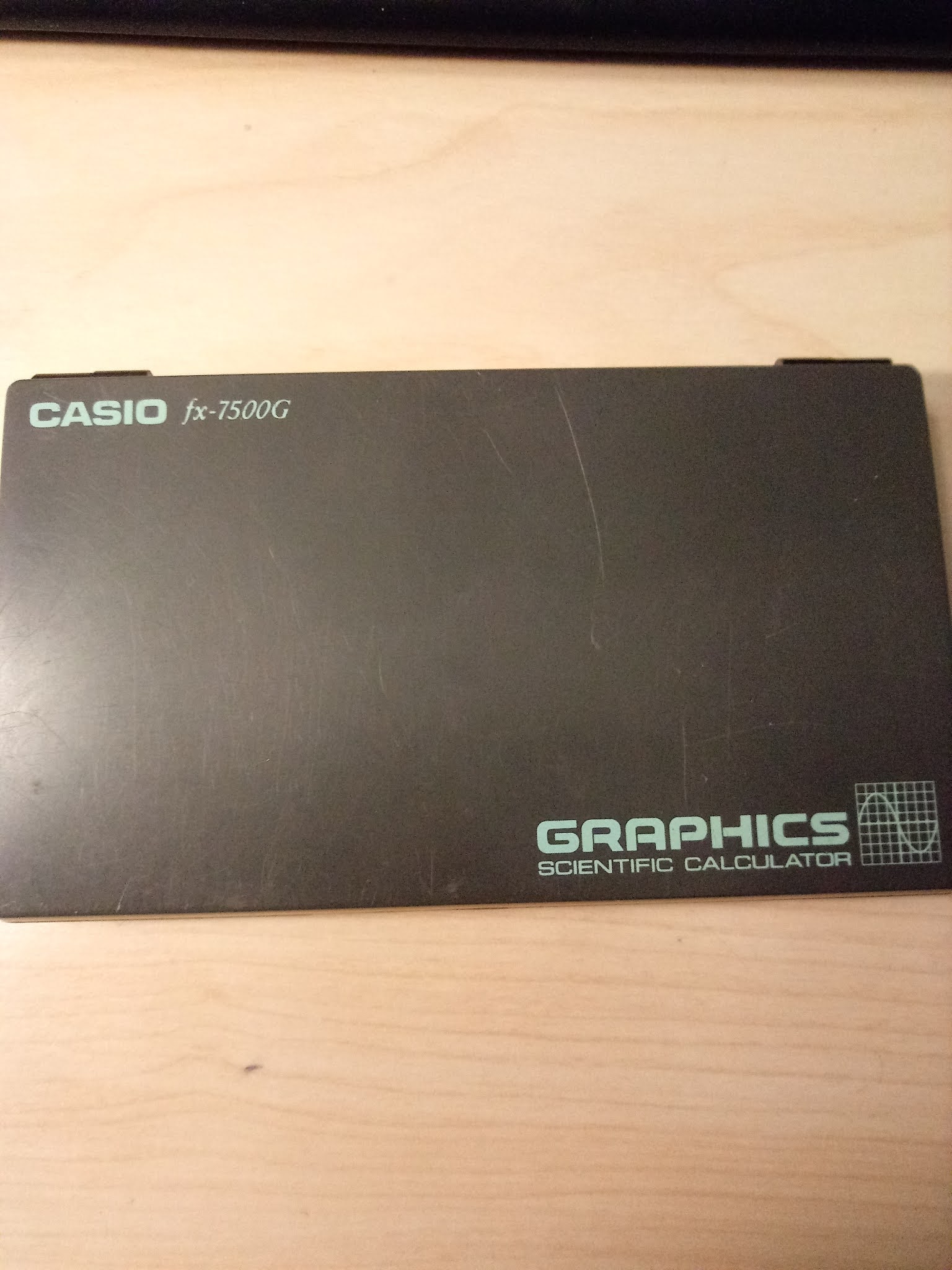

Sunday, May 30, 2021

Retro Review: Casio fx-7500g

 Retro Review:  Casio fx-7500g


Quick Facts:

Model:  fx-7500g
Company:  Casio
Year Introduced:  1988, 1989
Batteries:  3 LR-44
Memory Registers: 26, but can be expanded
Program Steps:  4214 maximum, 10 program slots
Price:  About $109.95 at introduction, various with collections

Folding Calculator Power

The Casio fx-7500g is an early graphing calculator that is modeled after the Casio fx-7000G, which features include:

*  Basic scientific functions, including fractional and integer parts, factorial, absolute value
*  Base Conversions and Boolean logic (not, and, or, xor)
*  Single-valued statistics with a separate mode for bar graph, line graph, and normal distribution curve based on values (SD2)
*  Linear Regression (a + bx) with a separate mode for plotting points and plotting the regression line (LR2)
*  Random Numbers
*  Programming, with allocation for 10 programs.  The maximum amount of programming steps is 4,214 which can be allocated to additional memory registers.

The programming language of the  fx-7500g is the same as the fx-7000g and fx-6300g, but a lot more programming space.   The additional steps allowed programs to have comments and descriptive prompts without worry about running out of space.  Why didn't Casio put more programming steps  in either the fx-7000g or fx-6300g?

In 2012, I discussed the programming language and its commands here.

I am amazed how small the fx-7500g is, yet the screen is readable while graphs take the entire screen.  The flat keys are very responsive and after a while the keys became comfortable to touch.   I can see why the fx-7500g is a collectable. 

I think Casio may be the only company with foldable graphing calculators: fx-7500g, it's financial cousin FC-1000 (which fetch high prices on auction sites), and the fx-9860g Slim.  

Casio fx-7500g (left), Casio fx-9860g Slim (right)

This is a rare calculator to find, and if you can get it for a good price (I paid $45), it is worth collecting.  By the way, handle with care as the case is fragile and the screen doesn't take drops too well.  Thankfully it still works!


Special Announcement

Programs for the Casio fx-7000G (fx-7500G, fx-6300G, and all of the other variants) every Saturday in June 2021.  Please join me in this trip back to the 1980s.  

Until next time,


Eddie

All original content copyright, © 2011-2021.  Edward Shore.   Unauthorized use and/or unauthorized distribution for commercial purposes without express and written permission from the author is strictly prohibited.  This blog entry may be distributed for noncommercial purposes, provided that full credit is given to the author. 


Saturday, October 17, 2020

Review: Catiga CS-121

Review:  Catiga CS-121


Just the Facts:


Model:  CS-121 (could be other model numbers)

Company: Catiga

Type: Graphing

Battery:  Case contains 2 CS-2032 slots, but can run on 1

Logic: Algebraic

Memory Registers: 9 

Colors:  Many colors including Black, Red, Blue.  I purchased a blue CS-121.  


Case and Keyboard


The cover case and calculator casing for the CS-121 is very light.  When sliding the calculator into the case, you really have to listen for the snap to lock the calculator in place.  The keys are very fast and responsive, you will have no problems typing in expressions quickly.  


Screen


Like most graphing calculators, the CS-121 has a large screen.  However, the CS-121 does not use the screen like most graphing calculators.   The CS-121 operates as a large Casio fx-6300g instead.   Graphs take up part of the left side of the screen and you can see only the X or the Y (not both) coordinates during tracing.   The expression line is reduced to the bottom line of the screen.  


This is my biggest gripe of the CS-121.   This screen scheme may have worked on the fx-6300g and its relatives fx-6200g and HP 9g because they have small screens to work with, but the CS-121 should have full screen graphs and allowed the use of the entire screens for expressions in Home mode. 


Features of the CS-121


Left,  Catiga CS-121;  Right, Casio fx-6300g


The CS-121 isn't an entire clone of the fx-6300g because it does have some nice advanced features.  


Graphing:  Functions (up to 2 functions), Parametric (1 parametric pair)

Calculus:  Numeric Integrals of f(x)

Solver:  Solve for any variable

Complex Number Mode:  Arithmetic, Cube, Cube Root, Square, Square Root, Absolute Value, Argument (angle).   The [ENG] acts as the i key.  Switch between showing the real and complex results by pressing [ SHIFT ] [ = ].  All complex numbers operate in rectangular format (a + bi).  

Regressions:  Linear, Logarithm, Exponential, Power, Inverse, Quadratic.   Get the correlation ( r ) by pressing [SHIFT] [ ( ].  

Base-N:  The CS-121 adds boolean logic functions ([x^3] key):  And, Or, Nxor, Xor, Not, Neg

Drawing Tools:  Plot points, lines including lines between two points, horizontal, vertical, and tangent.   It is a little frustrating that the CS-121 does not use the entire screen for graphs because it would really enhance the use of the drawing tools.  


Memory


Let's talk about the memory.  It is very unusual for a graphing calculator to only have nine memory slots (A, B, C, D, E, F, X, Y, M with M+ and M-).  It's because the CS-121 does not have programming.  Yes, you can store an equation in the form var=f(vars) with the [SHIFT] [ Calc ] (PROG) key sequence and calculate using the stored equation by using [ Calc ].  


It is very rare that a graphing calculator does not have programming.  The rare Casio fx-6200g was a direct relative to the fx-6300g and it did not have programming.  


The Learn (LRN) Key


The [LRN] key allows users to shift graphs or change the size of the graphs.  Handy when learning about functions.  


Verdict


I like the keyboard and I like how responsive the calculator operates.  The CS-121 operates on not much battery (ultimately 1 CS-2032 battery).  As said before, my major gripe is the mismanaged use of the screen.   


Eddie


All original content copyright, © 2011-2020.  Edward Shore.   Unauthorized use and/or unauthorized distribution for commercial purposes without express and written permission from the author is strictly prohibited.  This blog entry may be distributed for noncommercial purposes, provided that full credit is given to the author. 


Saturday, January 26, 2013

Speed Test - Casio Calculators

Hi everyone! Today I am blogging from home.

Last time I posted a speed test for various Texas Instruments, which you can go to by clicking on this link.

For each calculator, I timed how long does the calculator take until it "counts down" from 2013 to 0. I ran the program on each calculator twice.

The Program TEST2013

TEST2013:
2013 → A
Lbl 1
A - 1 → A
A > 0 ⇒ Goto 1 : 1

The program returns 1 when completed.

For the Casio ClassPad 330, I had to modify the program a bit, as the ⇒ symbol means "store" (instead of "jump") for the ClassPad.

TEST2013 for ClassPad 330:
2013 ⇒ a
Lbl one
a
a - 1 ⇒ a
If a > 0
Then
Goto one
IfEnd

Results

I will start from the oldest made model. Thanks to rskey.org and Wikipedia for the dates.

fx-7000GA (1990): 31.11 sec, 30.89 sec
(The fx-7000GA is as close to the original 7000G as I will probably get).

fx-6300G (1991): 38.91 sec, 38.90 sec

CFX-9850G (1997): 28.58 sec, 28.00 sec

fx-9750G Plus (2002): 28.50 sec, 28.44 sec

fx-3650P (2002) Solar Powered: 3 min 6 sec, 3 min 6.31 sec

ClassPad 330, Operating System 3.04.4000 (2007): 35.89 sec, 36.01 sec

Prizm (fx-CG 10) (2010), Operating System 1.04.3200 : 9.53 sec, 9.44 sec
(I am very happy with this!)

Note that the fx-3650P is a solar powered-calcualtor. I had no idea that this model was released in 2002. I had to get it from eBay, as it is not sold in stores in the United States.

I did not test any of the modern fx-9860g family (GII, Slim, etc...), but I guess that these calculators are fast of the Prizm. From these results, it is apparent that Casio knows how to maximize their processor speed.

Next time I will review the calculator app MyScript. Until next time,

Eddie


This blog is property of Edward Shore. 2013

Tuesday, June 19, 2012

Casio Programming Part II


This blog entry is an extension of the list of programs made with the Casio fx-6300G and the fx-7000GA. Most of the program steps can be transferred verbatim to today's Casio graphing calculators.

Note:
Pol( and Rec( on the fx-6300G and fx-7000GA returns results in variables I and J. I gets r and x, respectively while J gets y and θ, respectively.

The fx-9xxx series (at least the fx-9860 series) returns the conversions from Pol( and Rec( as lists. Adjust accordingly.

However this list of programs will bring more of the complex features offered by today's higher-end calculators.

Here are the links to my two previous posts:

Casio and the Programming Language

Program Library Part 1


Comments:

The batteries run out on the fx-7000GA fast, or maybe not. It seems to work well after hours of rest.

The programs listed (except for the Quadratic Formula program) on this blog requires a second program, which I designated Program 0. I use program 0 to store my function.

Calculus

Numeric Derivative Approximation

The difference quotient method is used with Δ = 10^-5. Accuracy may vary. Machine accuracy not guaranteed.

Program 0: Enter as a function of X. (example: "2 sin x")

D is the derivative.

Main Program:
"X0"?→Z:
Z + 10^x -5→X: Prog 0: Ans→A:
Z - 10^x -5 → X: Prog 0: Ans→B:
(A - B) ÷ (2 10^x -5) → D

51 steps

Sum of a Function

Σ f(x) from a to b

S is the sum

Program 0: Function of X

Main Program:
"A"?→A:"B"?→B:
A→X: 0→S: Lbl 1:
Prog 0:Ans + S → S:
X + 1 →X:X ≤ B ⇒ Goto 1: S

48 steps

Simpson's Rule - Numeric Integration

I modified the program in the Casio fx-6300G handbook, to try to make it shorter.

N must be even. I is the integral.

Program 0: Function of X

Main Program:
"A"?→ A: "B"?→ B:
"N"?→ N: A→ X: Prog 0: Ans → I:
(B - A) ÷ N → D: N- 2 → O:
Lbl 2:
X + D → X: Prog 0: I + 4 Ans → I:
X + D → X: Prog 0: I + 2 Ans → I:
O - 1 → O: O ≠ 0 ⇒ Goto 2 :
B → X : Prog 0 : (I - Ans) D ÷ 3 → I

113 steps

Graphing: Parametric Equations

Program 0: X(T) to be stored in X, Y(T) to be stored in Y
(Example: 2T sin T→ X: 3T cos T→ Y)

Note: You will have set up the Range in advance which takes intuition, knowledge, and maybe luck to get a "perfect" graph. Once the Range is set up, as I understand it, the graph screen clears.

A = Tmin
B = Tmax
N = number of points

Main Program:
"A"?→A: "B"?→ B:
"N"→ N: (B - A) ÷ N → H: Cls : A - H → T:
Lbl 1: T + H →T:Prog 0: Plot X,Y : T ≠ B ⇒ Goto 1

61 steps


Graphing: Polar Equations

Program 0: R(T) with T being θ
(Example: .5T)

Note: You will have set up the Range in advance which takes intuition, knowledge, and maybe luck to get a "perfect" graph. Once the Range is set up, the graph screen clears.

A = Tmin
B = Tmax
N = number of points

I had better luck with this program on the fx-6300G than on the fx-7000GA.

Main Program:
"A"?→A: "B"?→ B:
"N"→ N: (B - A) ÷ N → H: Cls : A - H → T:
Lbl 1: T + H →T:Prog 0: Rec(Ans,T: Plot I,J : T ≠ B ⇒ Goto 1

67 steps

Note: these are dot plots and are not traceable. I tried using SD2 mode (Scatterplot Mode) but was not able to use comparison commands. Also Line is not the command that it is today.

And now to a favorite program...

Quadratic Formula

AX^2 + BX + C = 0

D = B^2 - 4AC

If D <0, then the roots are complex, X is the real part, Y is the imaginary part, X ± Yi
If D >0, then the roots are X and Y, both real

Program displays D, X, and Y

Preload A, B, and C before running!

B^2 - 4AC → D ◢
D < 0 ⇒ Goto 1:
(-B + √ D) ÷ (2A) → X:
(-B - √ D) ÷ (2A) → Y: Goto 2:
Lbl 1: -B ÷ (2A) → X : √ Abs D ÷ (2A) → Y :
Lbl 2 : X ◢ Y

79 steps

I leave you with some graphs.

Until next time, Eddie


This blog is property of Edward Shore. © 2012

Python – Earth’s Radius and Gravity in US Units

Python – Earth’s Radius and Gravity in US Units Introduction The following script, gravus2.py, estimates the Earth’s gravity i...